
Why adding someone takes two steps
Inviting a person who has no account yet is an invitation first and a key handover later. The gap between the two is not bureaucracy: the key they need does not exist until they register.
In most document platforms, adding a person is one action. You type an email address, pick a permission, press a button, and the person has access. If they have no account yet, they get one on the way in.
In Sapherbox, adding someone who has no account yet takes two steps, with a pause in between that you do not control. You send an invitation. The person registers. Then you come back and complete what you started. New administrators notice this on their first day and ask, reasonably, why the second step exists.
The short answer is that the first step cannot hand over a key, because the lock it has to fit has not been made yet.
What the two steps are
Step one: invite. You name the person and say what they should get. That can happen in three places. An administrator creates a user under Users. Someone shares a folder or a file with an email address that has no account. A group lead invites a new person into a group. In all three cases the result is the same: an invitation email with a personal link, valid for seven days, and an entry that says the person has been asked. Administrators see the new user as “Initiated”. On the Collaborators page the invitation reads “Awaiting signup”.
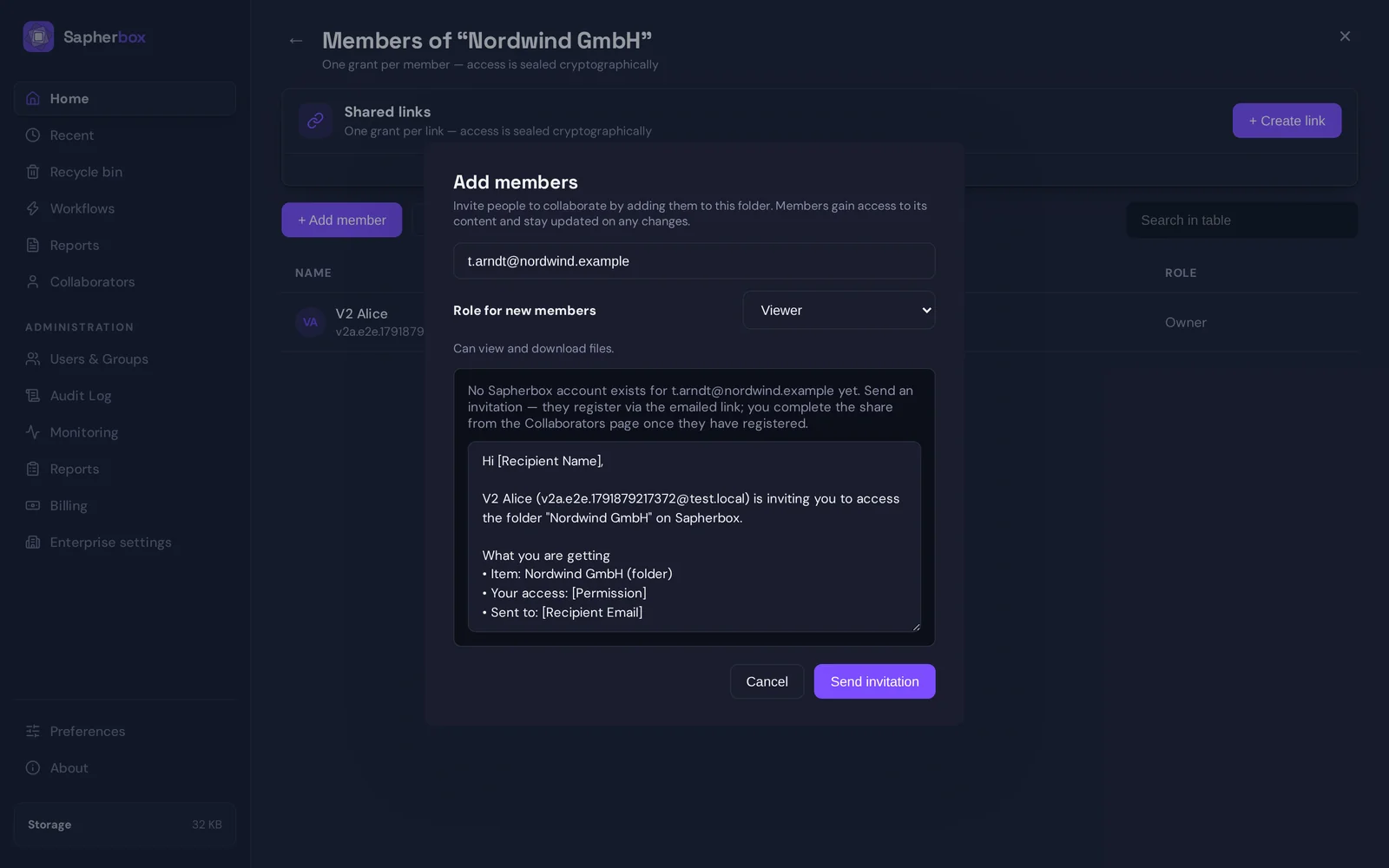
At this point nobody has been given anything. The server holds a note: this address was invited, by whom, to what, at which permission level. It holds no key for that person, sealed or otherwise.
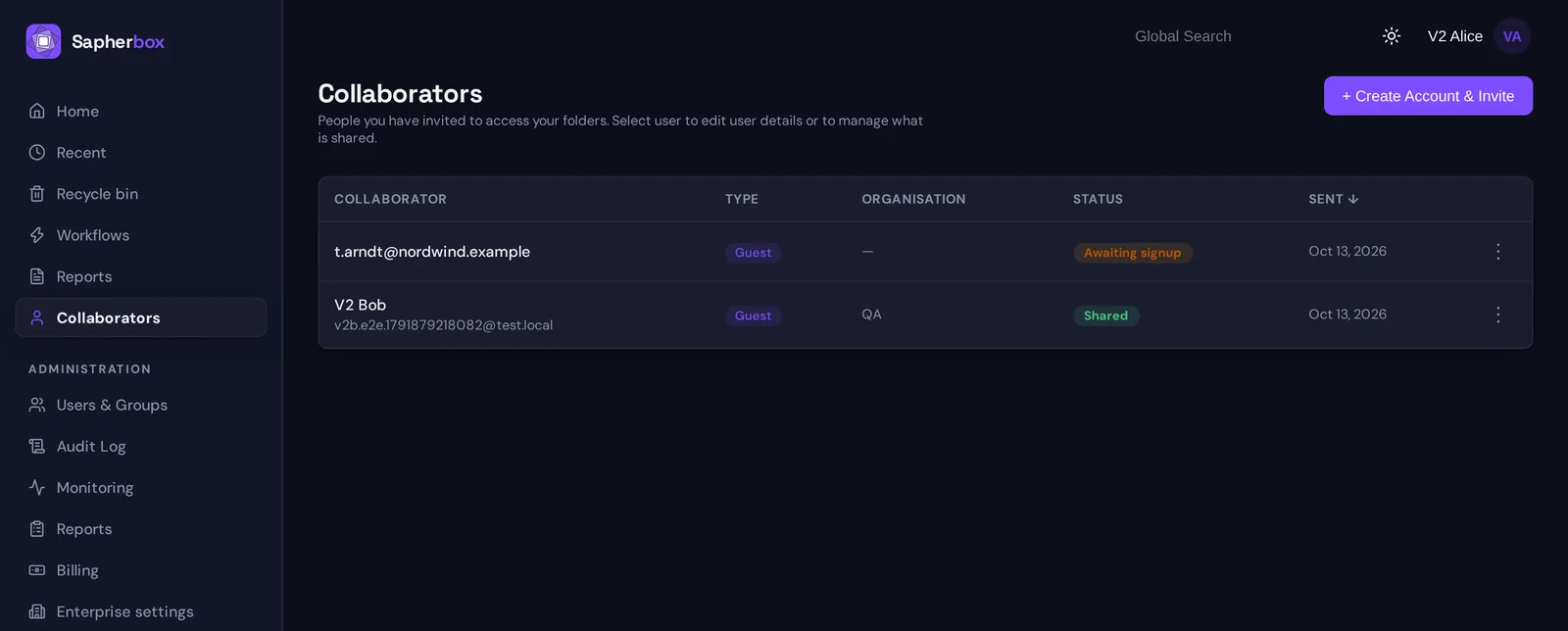
In between: the person registers. They open the link, choose a password, and their browser generates their keys: an encryption key pair, classical and post-quantum, and a signing key. The private halves are sealed on their device before anything is stored. The public halves are published to the tenant. From this moment there is something a key can be sealed to.
The invitation changes to “Ready to share”. You are told, by a banner that appears on every page of the application and, where notifications are on, by email.
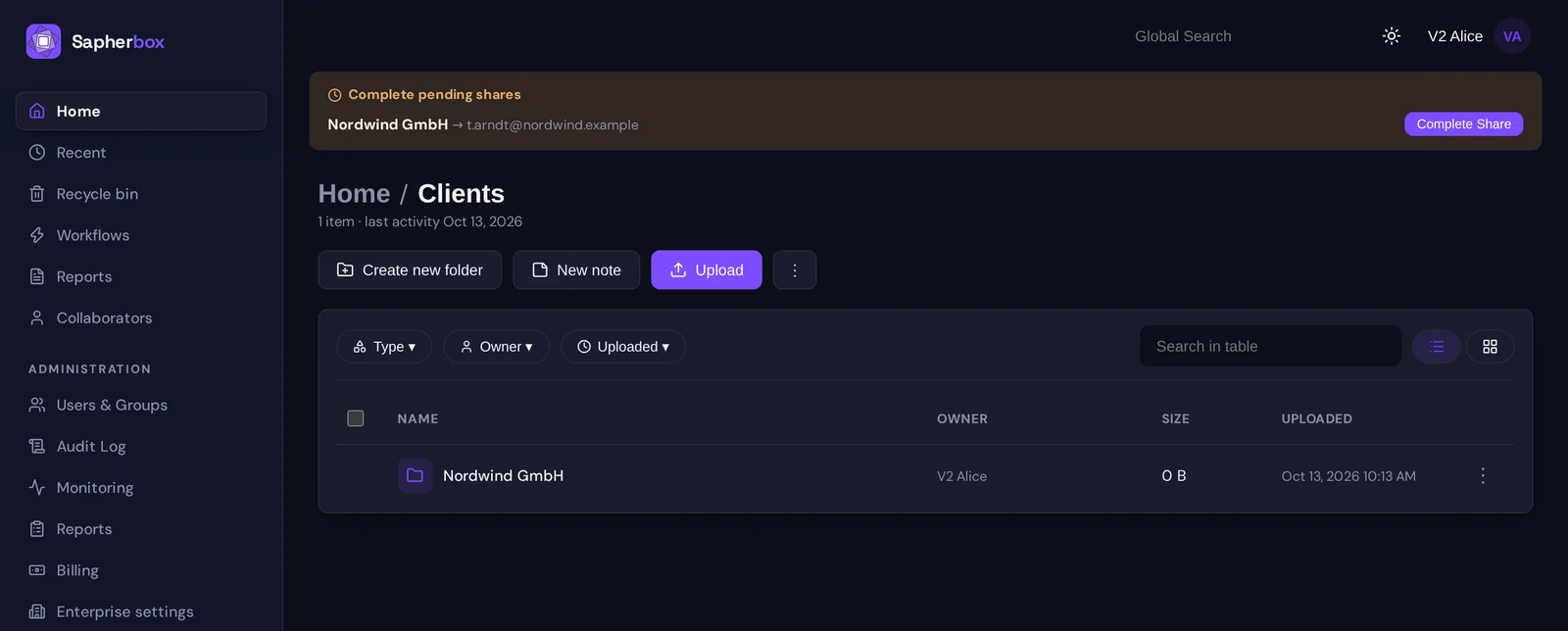
Step two: complete. The banner lists what is waiting and for which address, with a button for each entry: “Complete Share”, or “Complete add” for a group. Pressing it does the actual work, in your browser. For a folder, your browser opens the folder’s keys, seals them to the new person’s public keys and signs the grant. For a group, it seals the group’s private key to them. The result is stored, the status becomes “Shared”, and the next time the person looks, the folder is there.
The second step does not need the other person to be online, and it takes a second. But it needs you, signed in, on a device that holds your keys.
Why the first step cannot do it all
Sharing in an end-to-end encrypted system is not a permission entry. It is a key handover: the folder’s key, sealed so that only the recipient can open it. We have described how that handover works in detail. Sealing needs the recipient’s public key, and a person without an account does not have one. There is nothing to seal to.
A conventional platform does not have this problem, because the server holds the keys or holds the data in the clear. It writes “this address may read this folder”, and when the address turns into an account, the server starts serving the files. The server can do that because it can read them.
Ours cannot. The folder key exists in the browsers of the people who already have access and nowhere else. So the handover has to wait until two things are true at once: the recipient has keys, and someone who holds the folder key is at a device to seal it. Registration makes the first true. The second step is the second.
The shortcuts we did not take
There are three ways to make this one step. Each of them works, and each gives up the property the product exists for.
Let the server hold the key until the person registers. The server would keep the folder key in a form it can use, and hand it over on registration. That is a server that can read the folder, for as long as the invitation is open and in principle for longer. Every claim we make about what our servers can see would carry an asterisk.
Put the key in the invitation link. The link itself could carry the secret, the way a download link does. Then access belongs to whoever holds the email: the recipient, their mail provider, a colleague it was forwarded to. That is a fair trade for a single file sent to someone outside, and it is why links exist as a separate, deliberately limited feature. It is not a sound basis for a standing membership of a client folder, which should be tied to a person’s own keys, visible in the member list, and revocable by changing the locks.
Create the person’s keys for them. An administrator could generate the new user’s key pair and a first password, and seal everything in advance. Then the administrator has held that person’s private key. In Sapherbox administrators manage accounts and never hold anyone’s keys; an account whose keys were born on somebody else’s machine breaks that from the first minute.
Against these, a second click is cheap.
What the pause is good for
The gap has a use of its own. Between the two steps, the only thing that identifies the invited person is an email address, and addresses get mistyped. When the person has registered, the banner shows the folder and the address side by side before you hand over anything. If the address is not the one you meant, you delete the invitation and no key has moved.
The completion is also the moment your browser records the new person’s signing key. Every later share with them is checked against that record, and a change is flagged before any key is sealed. The first handover is the one that sets the baseline, and it is made by you, deliberately, rather than by a server on your behalf.
What it means in practice
Some consequences are worth knowing before you onboard a team.
Only the first contact takes two steps. Once a person has an account, sharing a folder with them or adding them to a group is immediate, because their public keys are there to seal to.
The completion belongs to whoever sent the invitation, since it is their browser that holds the key to pass on. If you invite ten people on Friday and go on holiday, they can register, but they wait for you. For a larger rollout it is easier to let an administrator create the accounts first and share afterwards, when every share is a single step.
Groups reduce the work further. A new colleague who is added to a group receives one key and can open everything the group can open. The two steps happen once per person, not once per folder.
An invitation that is not used within seven days expires. It can be resent, which issues a fresh link, or deleted. Nothing has to be cleaned up on the key side, because no key was ever issued.
Questions?
If you are planning an onboarding and want to talk through the order of invitations, groups and shares, or want the technical description of what registration and completion do, get in touch at hello@sapherbox.com.