
How sharing hands over a key on your device
Sharing a folder in an end-to-end encrypted system means handing someone a key without the server ever holding it. Here is how Sapherbox seals, signs and pins that handover.
Clicking “share” in Sapherbox looks like clicking share anywhere else: an address, a role, a button. What happens underneath is different in kind, because the server cannot do the one thing a conventional share needs. It cannot give the recipient access to the folder, since it has no key to the folder. The key has to pass from your device to theirs, and the server is only allowed to carry it in a form it cannot open.
That handover is the heart of end-to-end sharing, and it is where most of the interesting attacks live. A server that cannot read your files can still try to insert itself into a share: hand you the wrong recipient’s public key, change who a grant is for, or add a recipient you never chose. This article is about the three things Sapherbox does so that a share means what you intended: it seals the key to the recipient, it signs the grant, and it pins the recipient’s identity so a swapped key is noticed.
What a share has to carry
Every folder in Sapherbox has its own key pair, classical and post-quantum, and a private bundle that opens it. Whoever holds the bundle can open the folder’s name key and every file key beneath it, including subfolders, because each child is sealed to its parent. Sharing a folder with a person therefore means one thing: getting that bundle to them, and to nobody else.
The bundle is small, a few kilobytes, and it never exists in plaintext outside a browser. Your browser holds it because you opened the folder; the recipient’s browser will hold it once the share completes. In between it is stored on the server as a grant: a row that says this principal may open this node, at this role, and here is the sealed bundle.
Sealing: a box only the recipient can open
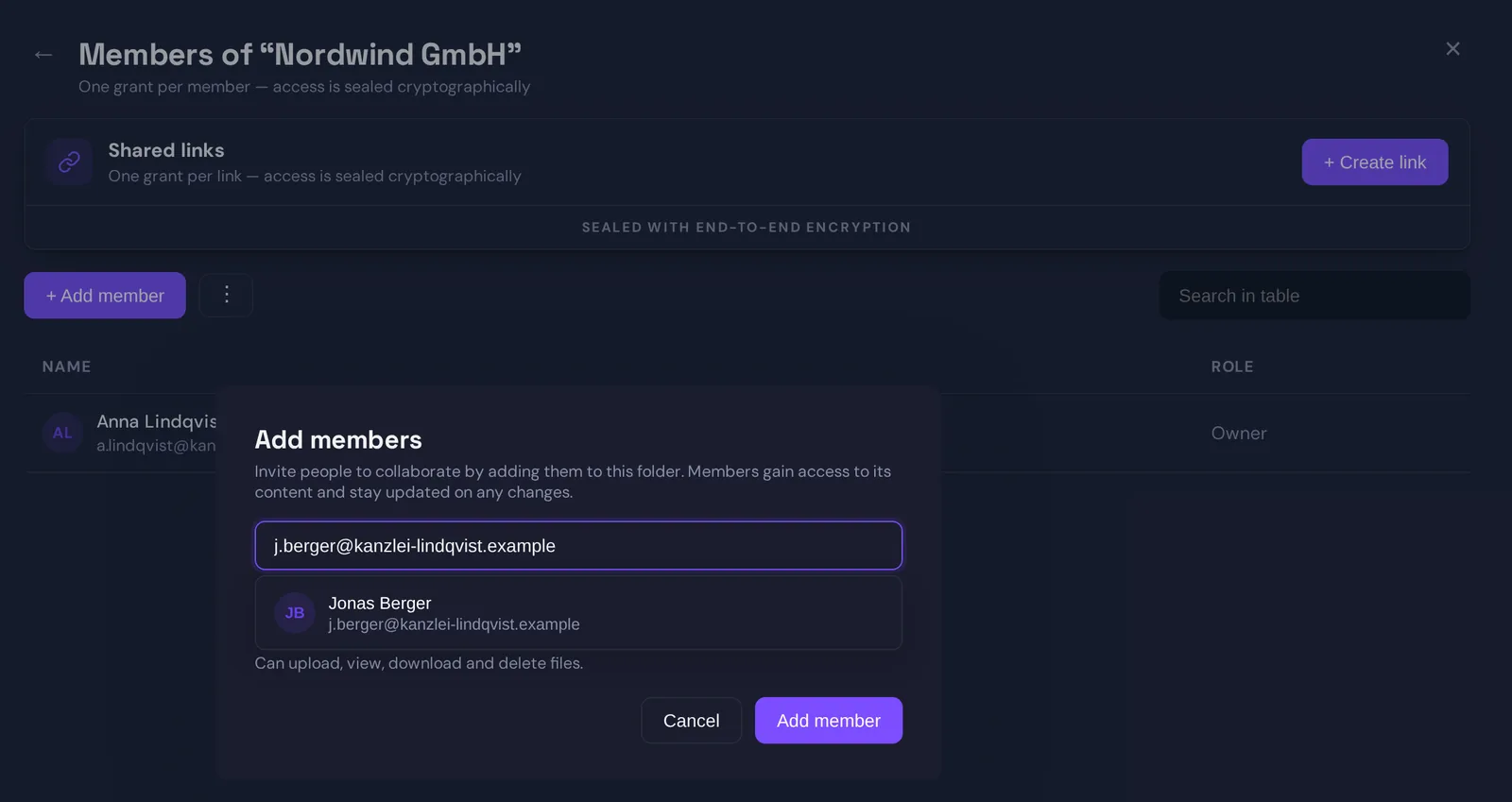
To seal the bundle your browser fetches the recipient’s public keys from the server. There are two: an RSA-4096 key and an ML-KEM-768 key, the hybrid pair every account has. Sealing uses both at once.
Your browser generates a random 32-byte value and wraps it with the recipient’s RSA key. It then runs ML-KEM encapsulation against the recipient’s post-quantum key, which produces a second shared secret and a ciphertext only that key can decapsulate. The two secrets are concatenated and fed through a key derivation function to produce one content key, and that content key encrypts the bundle with AES-256-GCM. The grant stores the RSA-wrapped value, the ML-KEM ciphertext and the encrypted bundle, nothing else.
The point of combining both is that an attacker has to break both. If RSA falls to a future quantum computer, the ML-KEM secret still protects the content key. If ML-KEM turns out to have a flaw nobody has found yet, RSA still does. We have written about the reasoning in more detail; what matters here is that the sealing happens on your device, with the recipient’s public keys, and the result is useless to anyone holding the server.
For an uploader role, where the recipient may add files but not read them, the browser seals only the folder’s name key instead of the whole bundle. They can see where they are putting things, and nothing else.
Signing: a grant that cannot be forged or altered
Sealing solves confidentiality. It does not solve integrity. A server that holds grants could, in principle, write new ones. It could take the sealed bundle you created for your colleague, and store it under a different principal. It could change the role from viewer to co-owner. Encryption alone does not stop any of that, because none of it requires reading the bundle.
So every grant is signed. Each account has an Ed25519 signing key, generated in the browser at registration, with the private half kept inside the same encrypted identity envelope as the other private keys. When your browser creates a grant it signs a canonical message that binds together the folder, the recipient, a hash of the sealed key, the permission level and your own identity. Change any one of those and the signature no longer verifies.
The server checks that signature before it stores the grant, and refuses grants whose signature does not verify against the granter’s published signing key. A stolen session token cannot mint grants, because the token does not come with the signing key. And a recipient’s browser can verify the signature again when it reads the grant, against the signing key it has pinned for the granter, which means a server that fabricated or altered a grant after the fact would be caught at the other end.
Signatures defend integrity, not confidentiality. They are what makes “this share was made by that person, for this recipient, at this role” a checkable fact rather than a claim in a database.
Pinning: noticing when a key changes
There is one attack the first two measures do not cover. Your browser fetched the recipient’s public keys from the server. What if the server lied, and handed you keys it controls, so that you seal the bundle to the attacker instead of your colleague?
The answer has two parts. The first is that every account’s public key set is self-certified: the user’s signing key signs the bundle of their RSA key, ML-KEM key and signing key together. A server cannot substitute a single key in that set without the certification failing, and if it fails, the share is refused with a plain message that the recipient’s published keys do not match their signing identity.
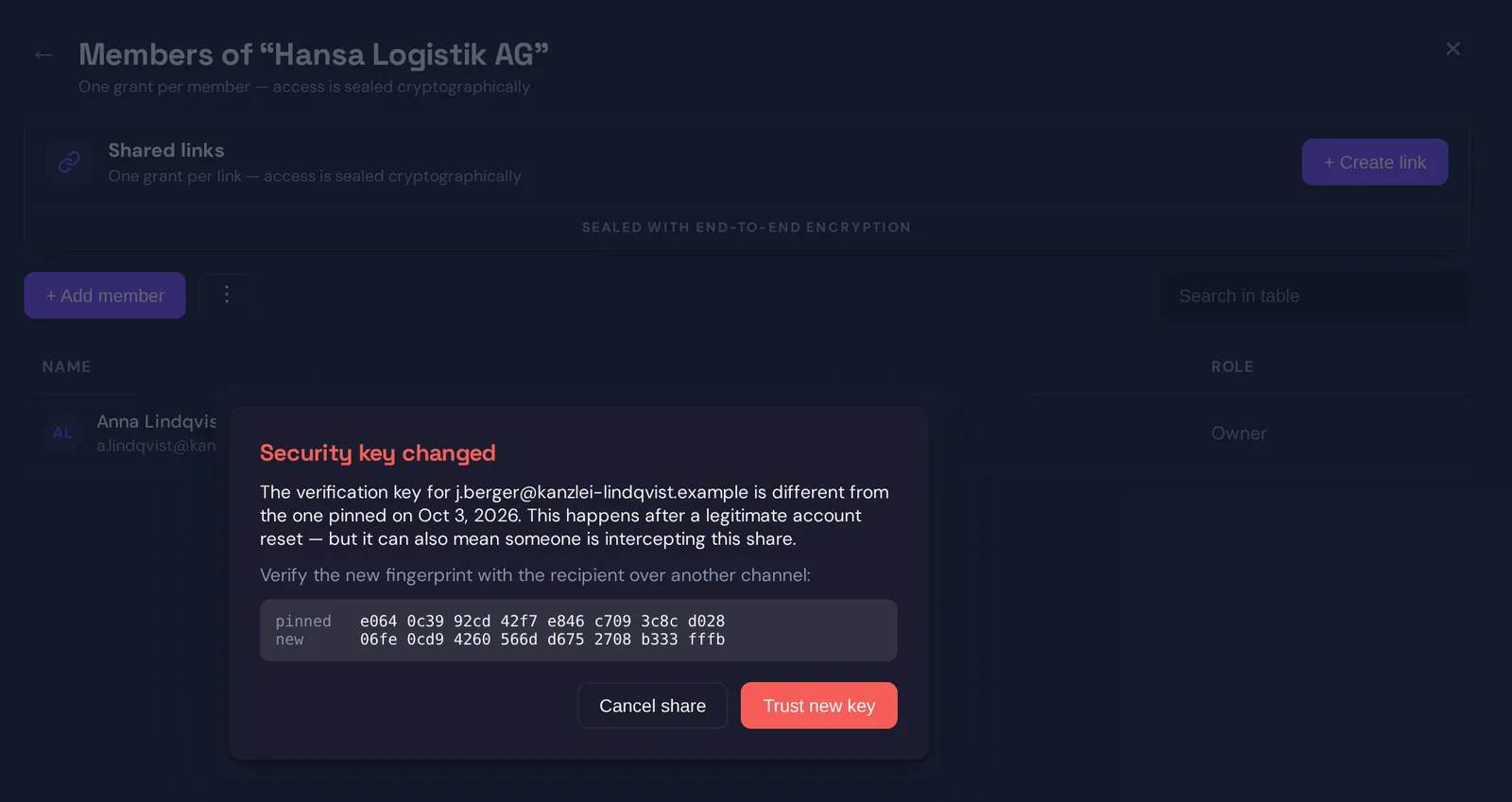
The second part is that your browser remembers. The first time you share with someone, their signing key is pinned: recorded in a small store that is encrypted under your own master key and kept on the server in a form the server cannot read, so it follows you across devices. Every later share with that person checks the offered key against the pin, and the check is for the person, not merely for an account number: a known address that turns up under a new account is measured against the key pinned for it. If they match, the share proceeds silently. If they differ, the share is blocked and you see a dialog.
That dialog is honest about the two possibilities. A changed key can be legitimate: the person reset their account and generated new keys. It can also mean someone is intercepting the share. The dialog shows both fingerprints, the pinned one and the new one, and asks you to verify the new one with the recipient over another channel before trusting it. Until you do, nothing is sealed to the new key. This is trust on first use, the same model as SSH, and it has the same honest limit: the very first contact is taken on trust, and everything after it is verified.
What the server sees during a share
The server sees that a grant was created: which folder, which recipient, which role, who granted it and when, and the sealed bundle and signature as opaque bytes. It verifies the signature, stores the row, and records an audit event with the folder’s masked name. It cannot open the bundle, cannot alter the grant without breaking the signature, and cannot swap the recipient’s keys without breaking the self-certification or tripping the pin.
What it could still do is refuse to deliver a grant, or deliver stale public keys for a recipient it has never seen you share with. The first is a denial of service, visible to both sides. The second is the first-contact window that pinning cannot close, which is why the fingerprint is shown and why we tell people sharing something sensitive with someone new to compare it once, out of band.
Revocation, in one line
Everything above is also why removing someone is not a matter of deleting the grant. They may have the bundle cached. Revocation rotates the folder’s keys and re-seals them to the remaining members, with fresh signatures; we have written about it separately. The handover and the take-back are two halves of the same design: keys move between devices, and the server only ever carries locked boxes.
Questions?
If your security team wants the canonical message formats, the test vectors or the pin store design in detail, get in touch at hello@sapherbox.com.