
Share with the group, not the person
Granting folder access one person at a time looks precise and ends up neither productive nor secure. Groups make membership a single fact to keep current, and the cryptography follows.
Most access problems in a document platform do not start with an attack. They start with a spreadsheet of who should see what, kept by someone who left two years ago.
A new colleague joins the tax team and needs the twelve client folders the team works in. Someone with the right permissions adds them to each one, forgets the thirteenth, and the colleague asks again a week later. A project ends, a contractor’s engagement finishes, a person changes departments, and the same twelve folders need the reverse. Nobody has a list of which folders that person was ever added to, so the removal is done from memory, which means it is done partially.
This is the state of most shared drives, and it is the reason “who has access to this folder” is a question most organisations cannot answer without an audit. The fix is not more diligence. It is to stop sharing with people.
One fact instead of many
Sharing a folder with an individual creates a fact: this person may open this folder. Twelve folders and eight people produce ninety-six such facts, each created by hand, each maintained by hand, each forgotten independently.
Sharing a folder with a group creates a different kind of fact: this folder belongs to this team. Membership of the team is a second, separate fact: these eight people are the tax team. Now there are twelve folder facts and one membership list. When the ninth person joins, one list changes. When the third person leaves, one list changes. The folders do not need to know.
The productivity gain is obvious and it is real. Onboarding a new team member is one action instead of a dozen, and it is complete by construction: whatever the team can open, the new member can open. Offboarding is the same action in reverse, with the same completeness, which matters more, because incomplete offboarding is the failure nobody notices.
The subtler gain is that the membership list becomes a thing you can look at. “Who is on the tax team” is a question with an answer on one screen, maintained by the team’s lead, who knows. “Who has access to the Nordwind folder” becomes “the tax team, and these two people with direct shares”, which is also an answer. In the per-person model, the second question has an answer only in the sense that a database has it.
Why this is a security property, not a convenience
Access control fails in two directions: someone who should have access does not, and someone who should not have access does. The first is a productivity problem and gets fixed quickly, because the person affected complains. The second is a security problem and does not get fixed at all, because nobody affected knows.
Per-person sharing produces the second failure as a matter of routine. Every leaver whose removal missed a folder is a standing exception that no one is tracking. Every contractor added to a project folder “for now” is still there. The exceptions accumulate, each one small, and the sum is a permissions graph that no longer reflects any decision anyone would make today.
Groups move the removal to the one place where it is certain to happen. When a person leaves the organisation, their account is deactivated and they are removed from their groups; both are events that HR, IT or the team lead will perform, because they are the obvious thing to do. Removing someone from the tax team is a single action that the lead takes on the day it is decided. The folders follow, all of them, including the ones the lead never thought about.
The same logic covers the cases between joining and leaving. A person moving from the tax team to the audit team is one removal and one addition. A project wrapping up is one group deleted. A contractor whose engagement is extended by three months stays in the group for three months and is then removed once. None of these require anyone to remember a list of folders.
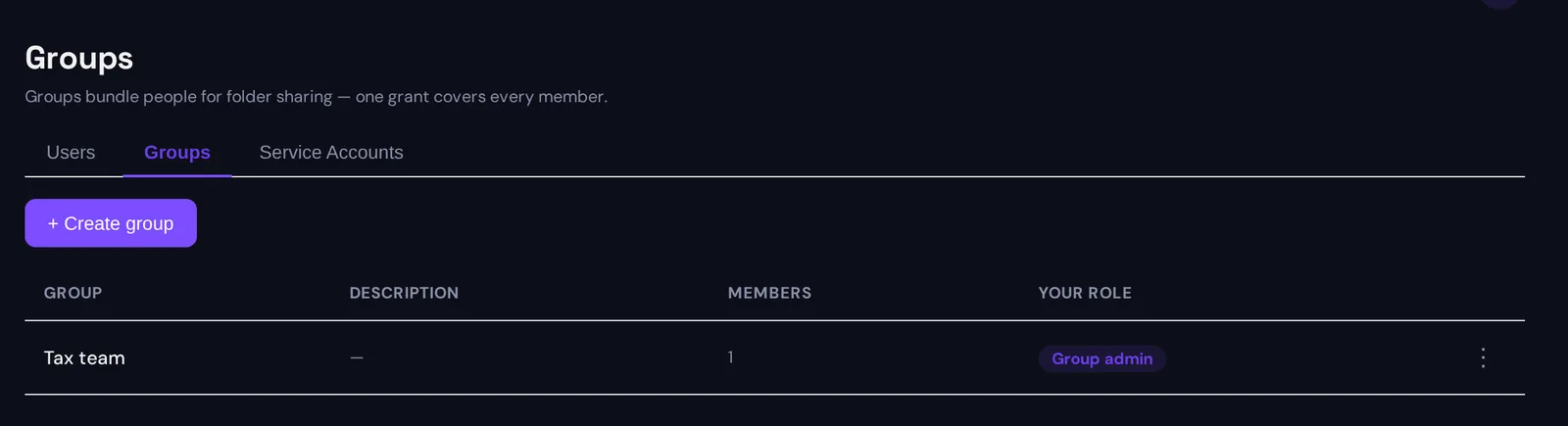
What the group does in Sapherbox
In an end-to-end encrypted platform the group has to do more than carry a list, because the server cannot hand out keys on its behalf. We have written before about why removing a person from a folder means re-keying the folder, not just deleting a permission. Groups have the same requirement, and the design follows from it.
Every group has its own key pair, classical and post-quantum. Sharing a folder with the group is one grant: the folder’s keys sealed to the group’s public key, signed by the person sharing. Each member holds the group’s private key sealed to their own identity. Opening a folder through a group is two unsealing steps in the member’s browser, and the server sees two grants it cannot read.
Adding a member means the group lead’s browser seals the group’s private key to the new member’s public key. No folder is touched, because the folders were never shared with the person. The new member can open everything the group can open the moment the seal is stored.
Removing a member is the operation that proves the design. The group’s key pair is rotated: a fresh pair, sealed to every remaining member, with every grant that was sealed to the old pair re-sealed to the new one. And every folder the group was shared into is re-keyed in the same transaction, because the removed member may have cached that folder’s own keys while working in it. The removed person is left holding keys to a group that no longer exists and to folders whose locks have been changed. All of this happens in the lead’s browser and lands on the server as one atomic change; if any part of it fails, none of it is applied.
Compare this with removing a person from twelve folders individually. Each removal is its own re-key of its own folder. Twelve transactions, twelve audit entries, and the one folder nobody remembered is left with its old keys and its old member.
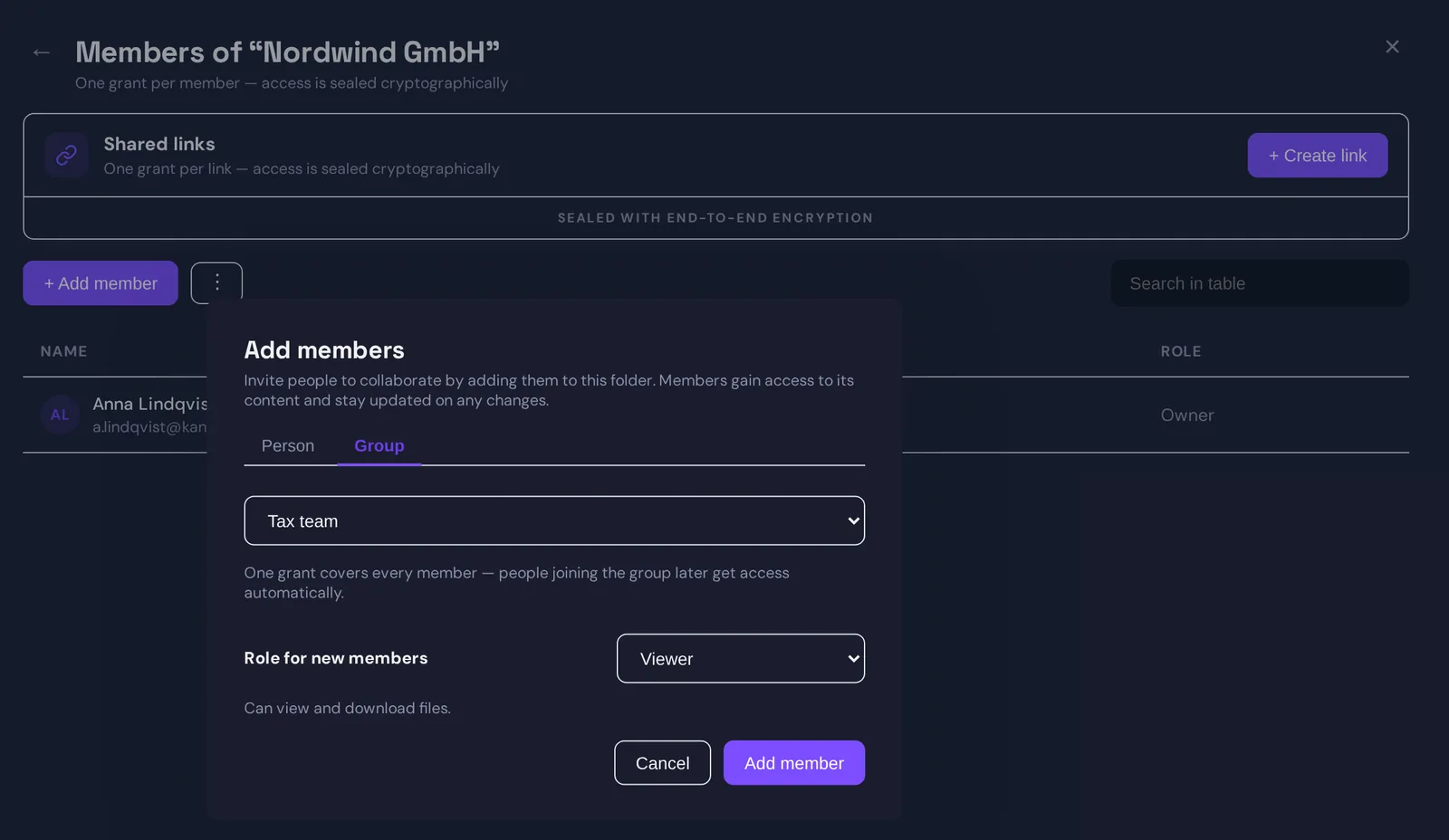
The whole sequence, from creating the group to removing a member, is a ninety-second walkthrough: watch the video.
What groups do not do
A group is not a way to give someone access they would not otherwise have. Sharing a folder with a group requires the same role on that folder as sharing with a person. A group lead is a member with the added right to manage the list; the lead opens what any member opens, and cannot share a folder the lead cannot open.
A group membership also does not override a direct share. If a person was given access to a folder individually and is later removed from a group that also has access, the direct share survives, as it should: it was a separate decision and needs a separate revocation. The folder’s member list shows both, which is how you notice.
And groups do not remove the need to look. Membership lists drift too, more slowly than folder lists, but they drift. The difference is that there are fewer of them, each has an owner, and reviewing one list of eight names is something a lead will actually do each quarter. Reviewing ninety-six folder grants is not.
A practical way to start
If your folders are currently shared person by person, the move is mechanical. Create one group per real team or project. Share each folder with the group at the role the team needs. Then remove the individual shares that the group now covers, keeping only the ones that were deliberate exceptions. The member list on each folder shrinks to a group name and a handful of named people, and that short list is the one worth reading.
From then on, the rule is simple: a folder is shared with a group, a person is added to a group, and the only time a person’s name appears directly on a folder is when someone decided it should.
Questions?
If you are planning a move from per-person shares to groups and want to talk through the structure, or want the technical description of group keys and rotation, get in touch at hello@sapherbox.com.