
Links for people without an account
Sometimes the other side has no account and never will. Sapherbox's download and upload links keep end-to-end encryption intact anyway: the key travels in the URL, and the server never sees it.
Most sharing in a document platform happens between people who both have accounts. Keys get sealed to identities, grants get signed, and the cryptography has someone on each end to hold a secret. Then a client asks you to “just send the contract”, or a counterparty needs to drop a folder of scans on you, and neither of them is going to register for anything.
Every platform has links for this. In most, a link is a bearer token: whoever has the URL asks the server for the file, and the server, which holds the plaintext or the key, hands it over. That is convenient and it is also the end of end-to-end encryption, because the server now has to be able to read the file to serve it. One link, and the whole design has an exception in it.
Sapherbox has download links and upload links too. This article is about how they work without that exception, what each one does, and where the limits are.
The key goes in the URL, after the hash
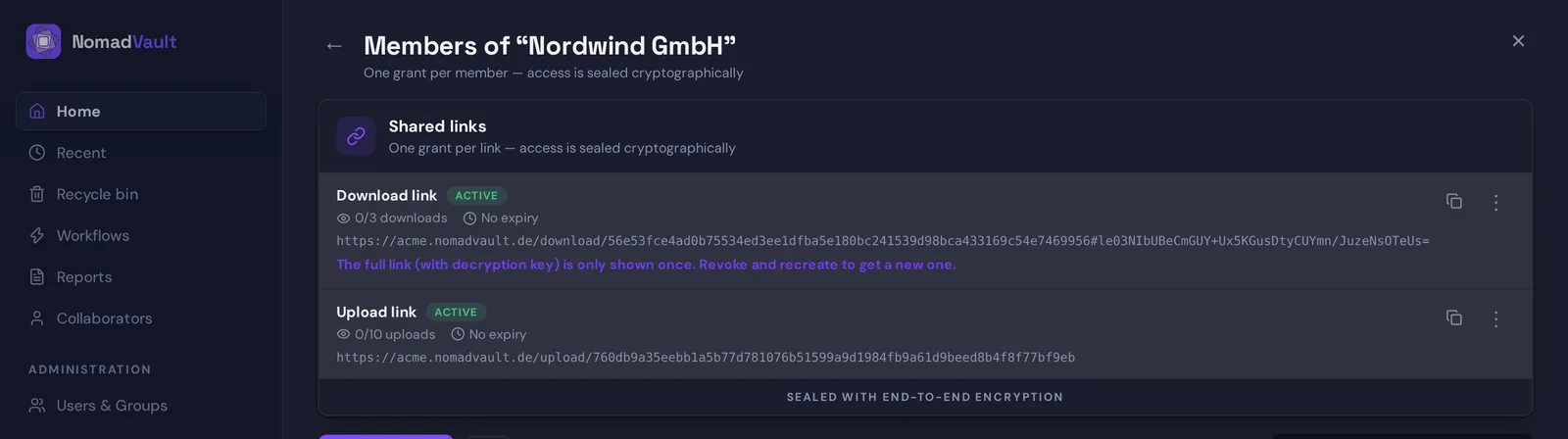
A download link in Sapherbox looks like any other link until the end, where there is a hash sign followed by a block of random characters. Everything after the hash is the link key. It is part of the URL as far as the person using it is concerned: they copy it, paste it, click it, and it works. It is not part of the URL as far as the server is concerned, because browsers do not send the fragment of a URL in the request. The server receives the path with the token that identifies the link. It never receives the key.
That one property of how browsers work is what makes the design possible. The sender’s browser generates the link key, uses it to wrap the file keys, and stores only the wrapped forms on the server. The recipient’s browser reads the key from the fragment, fetches the wrapped file keys and the ciphertext from the server, and does the unwrapping and decryption locally. Between the two browsers the server stored and served bytes it could not read. The same thing that is true for every file in the vault is true for a file reached through a link: it exists in plaintext only in a browser.
The cost of this is that the link is the key. We say so when it is created: the URL with the key is shown once, and if you lose it, you create a new link. There is no “resend the link” that the server could perform, because the server does not have the part that matters.
Download links
A download link is created on a folder. When you create it, your browser takes every file currently in that folder, unwraps each file’s key with your own identity, and wraps it again under the fresh link key. Those re-wrapped keys go to the server together with the link’s settings. The server stores them next to the link, with no ability to open them.
Someone opening the link sees the list of files, with the names decrypted in their browser, and downloads whichever they need. Each download fetches the ciphertext and decrypts it locally, chunk by chunk for large files, so a multi-gigabyte scan does not have to sit in memory. If the tenant has content disarm enabled, the same sanitisation that runs on upload runs on the way out too, in the recipient’s browser, before the file is saved.
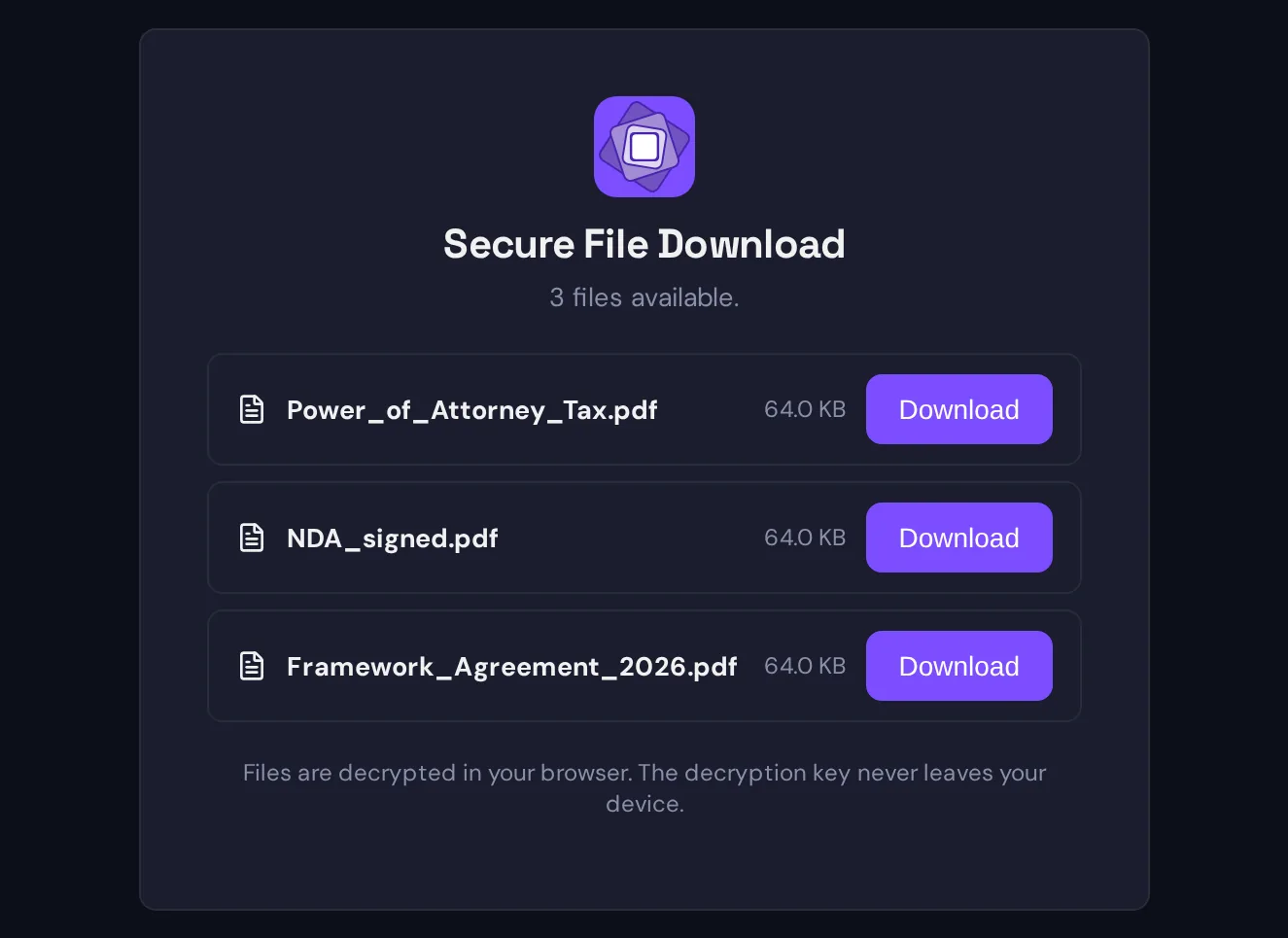
Two settings shape the link. An expiry, after which the server stops answering for it. And a maximum number of downloads, counted on the server and enforced atomically, so two people racing for the last download do not both get it. Both are optional; a link without either stays open until you delete it.
Deleting a link does what it should. The token stops working and the wrapped keys stored with it are removed. Someone who kept the URL has a key to boxes that no longer exist. The files themselves are untouched, because the link only ever held copies of their keys, never the files.
The link is a snapshot of the folder at the moment it was created. A file you add to the folder afterwards is not in it, because its key was never wrapped for that link; that is not an oversight but the point: a link cannot grow to include things you did not decide to share through it.
Upload links
An upload link is the other direction: a way for someone without an account to put files into a folder of yours. It has to solve a different problem, because the uploader has no identity to seal keys to, and you should not have to be present for the upload to be secure.
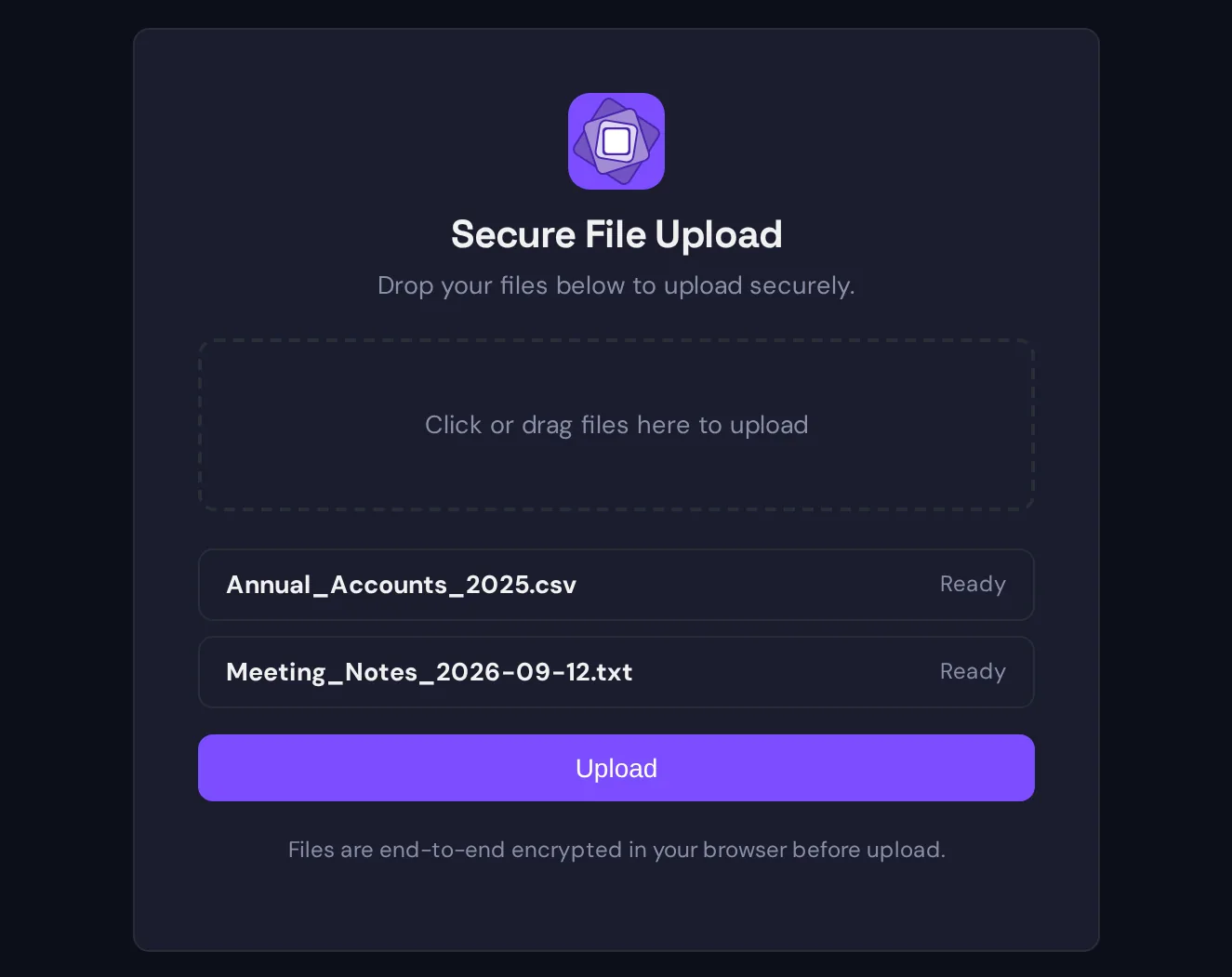
Here the folder’s own key pair does the work. Every folder in Sapherbox has one, classical and post-quantum, which is how sharing a folder with a person or group works in the first place. The upload page fetches the folder’s public keys from the server. The uploader’s browser generates a fresh key for the file, encrypts the file with it, encrypts the file name and type under it, and seals the file key to the folder’s public keys. Then it uploads the ciphertext and the sealed key.
That is the same shape as a file any collaborator adds to a shared folder: one sealed key, readable by anyone who can open the folder, which means you and whoever you have shared it with, and nobody else. The uploader themselves cannot read the file back after upload, because they never held the folder’s private key; they held the plaintext, which was theirs to begin with.
Content disarm runs here too, before encryption, in the uploader’s browser, with the tenant’s settings carried in the link. An upload link is the obvious way for an unknown party to send you a document, which is precisely when you want macros and embedded objects stripped. The upload also triggers your workflows: a folder with an upload link can have a rule that notifies you, and the audit log records that a file arrived through the link.
Upload links take the same two settings: an expiry, and a maximum number of uploads. An upload link has no key in the fragment, because there is nothing for the uploader to decrypt; the public keys it needs are public.
What the server sees
An honest description of links includes the server’s view, as it does for everything else in Sapherbox.
For a download link the server knows that a link exists on a folder, who created it, when it expires, how many downloads it allows and how many have happened, and the list of files it covers with their wrapped keys. When someone uses it, the server records an anonymous audit event: the link was accessed, a file was downloaded. It does not record who, because it does not know, and it does not record an IP address for anonymous events regardless of the tenant’s IP logging setting.
For an upload link the server additionally sees the uploaded ciphertext, its size, and a masked form of the file name for the audit entry, the same masking every upload gets. The name, type and content stay sealed.
What the server does not see in either case: the link key, the file keys, the file names as readable text, or the content.
What links do not do
A link is a bearer secret, and the design is honest about what that means.
Anyone with the complete URL of a download link can use it, up to the limits you set. The link does not know who is holding it. If a recipient forwards it, the forwarded copy works. Expiry and a download limit are the tools for bounding that, and deleting the link ends it; there is no identity check, because there is no identity.
The fragment is not sent to the server, but it is in the recipient’s browser history, in the chat message you pasted it into, in the email it was forwarded in. Treat the URL as the secret it is, send it over a channel you would trust with the file itself, and set an expiry.
Files that arrive through an upload link are not in your search index until you open them. Search tokens are computed with a key only you hold, and the anonymous uploader does not have it. The file is there, encrypted and readable by you; it is simply not findable by content until you have looked at it once.
And a link gives no access to anything but what it was made for: a download link covers the files it was created with, an upload link puts files into one folder. Neither reaches the rest of the vault, and neither can be escalated into an account.
When to use which
Use a download link when the other side needs to receive and has no account: a signed contract to a client, a report to an auditor, a folder of deliverables. Set an expiry that matches the occasion and a download limit if one copy is all they need.
Use an upload link when the other side needs to send: scans from a client, documents for a due-diligence request, submissions for a tender. Pair it with content disarm and a notification workflow, and the folder becomes a drop box that sanitises what arrives and tells you about it.
And when the other side will be around for more than one exchange, invite them instead. A guest account costs them a minute, and from then on every share is sealed to a person rather than carried by a URL.
Questions?
If you want to know how links fit a specific exchange with clients or counterparties, or your security team wants the key handling spelled out, get in touch at hello@sapherbox.com.