
Who may do what: roles and permission levels
Sapherbox answers the permissions question three times over: what you may do with a folder, for a group, and to the tenant. Here is each layer, and why they are kept apart.
“Who is allowed to do what” sounds like one question and is at least three. What may a person do with a particular folder? What may they do on behalf of a team? And what may they do to the tenant as a whole: its users, its settings, its evidence? Products that collapse these into one ladder of roles end up either giving a helpdesk colleague the power to read every folder or making a folder owner unable to add a member without a ticket.
Sapherbox keeps the three apart. This article walks through each layer, the roles in it, what they can and cannot do, and the one place where a role is not a permission at all but a key.
Layer one: what you may do with a folder
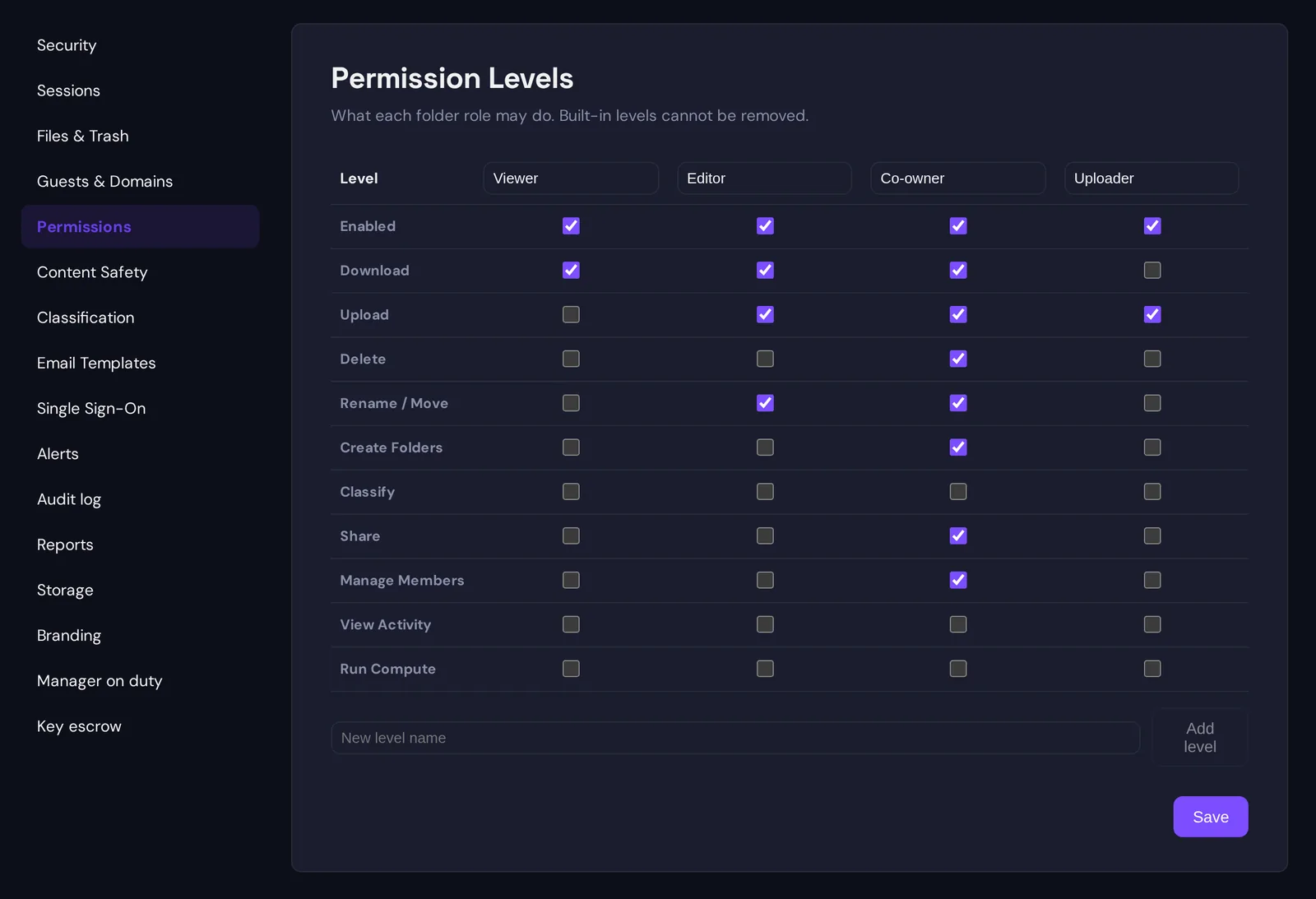
Every folder and file has members, and every member holds the content at one of five levels. Four of them are permission levels an administrator can rename and tune; the fifth, owner, is implicit and always complete.
- Viewer can view and download.
- Editor can view, download, upload, rename and move.
- Co-owner can do everything except delete the folder itself: download, upload, delete files, rename and move, create subfolders, share, and manage members.
- Uploader can upload, and sees only what they themselves uploaded. It is a drop box: a counterparty can deliver documents into a folder without seeing what else is there.
- Owner created the folder or had it handed over, and holds every capability without exception.
These levels are built from a small set of capabilities: download, upload, delete, rename and move, create folders, classify, share, manage members, view activity, and run compute jobs. An administrator adjusts which capabilities each level carries from the Permission Levels settings page, and can add levels of their own. A tenant that wants editors to be able to delete can grant it; one that wants co-owners who cannot share can withhold it; one that needs a reviewer level with download and view activity and nothing else can create it. The four built-in levels cannot be removed, so every tenant speaks the same vocabulary, but the meaning of each word is yours to set.
Levels are inherited down the tree. A role on a folder reaches its subfolders and files, because the folder’s key chain reaches them, and a person added to a subfolder with a different role holds that role there. Groups participate at this layer exactly like people: a folder can be shared with a group at a level, and every member of the group holds the content at that level through the group’s key.
Here is the honest part, which matters for an end-to-end encrypted system. Viewer, editor and co-owner are enforced by the server and by the user interface, not by the cryptography: all three hold the folder’s keys, because all three need to decrypt the content to do their job. A viewer is someone who holds the key and whom the server refuses to accept uploads from. The only level that is cryptographically weaker is uploader, who is never given the folder’s keys, only the key to its name, and so could not read the content even if the server were lying. Removing a person is the moment the cryptography takes over: their grant is deleted and the folder’s keys are rotated, so the key they held stops working. We have written about that separately.
Layer two: what you may do for a group
A group is a set of people with a key pair of its own, so that a folder shared with the group is one grant rather than one per member. Inside a group there are two roles.
A member holds the group’s keys and therefore opens whatever the group was given, at whatever level the group was given it. Membership carries no powers over the group itself.
A group admin is a member with the added right to manage the list: add people, remove people, and, because removal has to rotate the group’s keys and re-key every folder the group holds, the standing to do that re-keying. Group admins can also pull a report on their group’s access. They cannot create groups, and they cannot delete them; those are account-level acts. The principle behind this split is that the person who knows who belongs on the tax team is the tax team’s lead, not the tenant administrator, and we have written about why that matters.
A group admin opens exactly what any member opens. The role adds responsibility for the roster, not a wider view of the vault.
Layer three: what you may do to the tenant
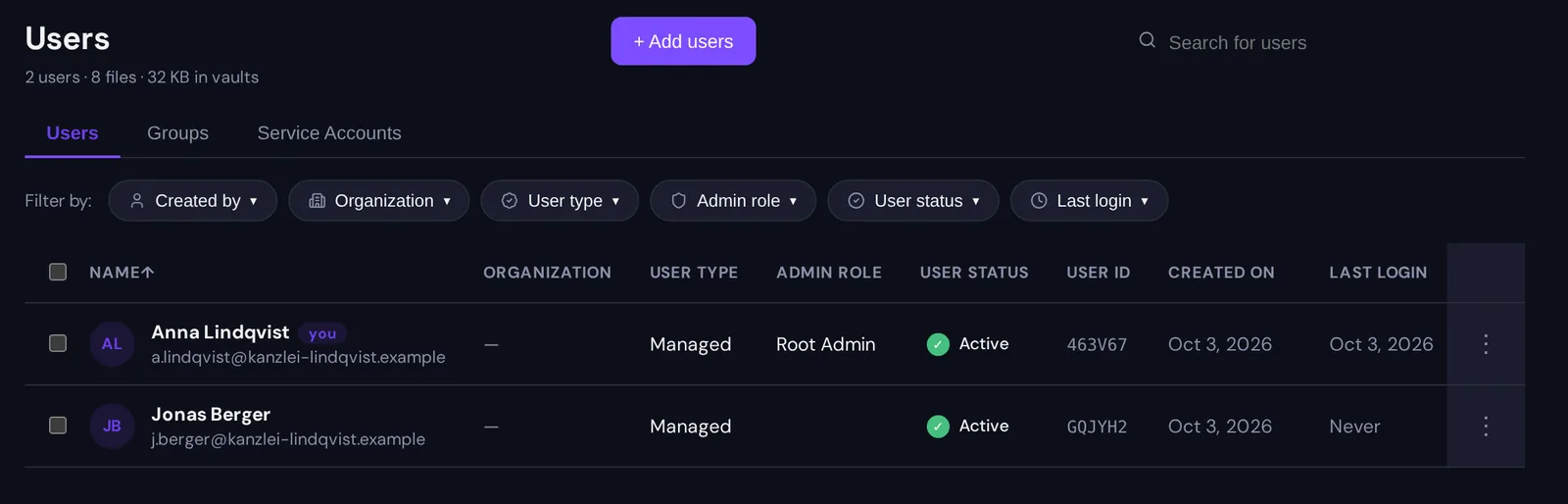
Account-level roles govern the administration of the tenant: its users, groups, settings and evidence. They are named bundles over a fixed vocabulary of actions, and every administrative endpoint declares the action it requires, so there is one place where “may this person do this” is answered.
- Member is everyone by default: no administrative actions at all. A member’s reach is defined entirely by the folders shared with them and the groups they are in.
- Audit viewer can open the overview and the audit log, and nothing else. It exists for the compliance officer or external auditor who needs to read the evidence without being able to change anything that produces it.
- Co-admin is a deputy below the administrator, with two switchable facets: managing users, which covers creating, editing, deactivating, deleting and setting access controls on accounts, and managing groups, which covers creating, editing, deleting groups and assigning their leads. Both are on by default and either can be turned off. A co-admin can see reports. A co-admin cannot touch enterprise settings, billing, monitoring, service accounts or the audit log, cannot act on administrators or other co-admins, and cannot assign roles.
- Administrator holds every administrative action: users, groups, reports, audit log, monitoring, service accounts, settings and billing.
- Root administrator is the account that bootstrapped the tenant. It holds everything an administrator holds plus the one action nobody else has: assigning account-level roles. There is exactly one path by which someone becomes an administrator, and it runs through the root.
None of these roles gives any access to content. An administrator cannot open a folder they were not given a key to. They can see that the folder exists, who holds it and at which level, and they can delete the account of someone who holds it; they cannot read it, because reading needs a key and no administrative action issues keys. This is the single most important property of the whole model, and it is why layer three can be generous with administrative power without becoming a confidentiality risk.
Two things that cut across the layers
Managed and guest accounts. Every account is either managed, meaning it belongs to the organisation’s directory and its administrators are the controller, or a guest, meaning it belongs to an outside collaborator who registered through an invitation. The distinction is not a role; a guest can be a co-owner of a folder and a member of a group. What it changes is who administers the account and which controls apply: administrators can set a storage quota per managed user, allow or withhold the desktop sync client, and restrict a user to sharing only with existing accounts rather than inviting new external people.
Service accounts. An integration gets an account of its own, with a key pair and an API key whose scopes are a separate, smaller vocabulary: read, write, delete and share for files and folders, plus looking up and inviting users. Scopes bound what a key may do; the folder levels above bound where. We have described them in their own article.
Why three layers and not one
A single ladder forces bad trades. If “administrator” sits at the top of the same ladder as “co-owner”, then giving someone the power to reset a colleague’s account also gives them every folder, and the person who runs the helpdesk becomes the person who can read the merger file. If the ladder is kept flat to avoid that, the folder owner who wants to add a member needs an administrator to do it.
Keeping the layers apart lets each one be generous in its own terms. Folder owners share freely, because sharing is theirs. Group leads keep their roster current, because the roster is theirs. Administrators run the tenant, deactivate leavers and read the evidence, because the tenant is theirs. And the cryptography underneath makes sure that the third of these never quietly includes the first.
Questions?
If you are mapping your organisation’s structure onto these roles, or your auditors want the action vocabulary and the role matrix in writing, get in touch at hello@sapherbox.com.