
Service accounts with narrow scopes
Integrations should not log in as a person. Sapherbox gives them their own account, their own keys and an API key that can do exactly what you listed. Here is how that fits end-to-end encryption.
Sooner or later something that is not a person needs to talk to your document platform. A CI pipeline that drops build reports into a folder. A CRM that files signed contracts. A script that exports last month’s invoices for the accountants. The quick way to do this is to hand the script a real person’s password, and it is the way most integrations start and far too many stay.
The problems are well known. The script now has everything that person has, across every folder they can open. When the person leaves, the integration breaks, or worse, keeps running under an account nobody owns. Every action the script takes is logged as the person. Multi-factor authentication either gets in the way or gets switched off for that account. And the password, which was supposed to be a secret in someone’s head, is now in a config file.
Sapherbox has service accounts for this. The design is not novel; what is worth explaining is how an account for a machine fits a system where the server holds no keys.
An account, not a token
A service account is a full principal in the tenant: it has an identity, a key pair, and an entry in the user directory with an API badge next to it. It is created by an administrator, who gives it a name and an address that serves as its identifier. It has no password and cannot log in through the user interface. It authenticates with an API key instead.
Because it is a principal, everything else in the platform treats it like one. A folder can be shared with it, at the role you choose, exactly as with a person. Its actions appear in the audit log under its own name. Its access shows up in the access reports next to everyone else’s, and removing it from a folder rotates the folder’s keys like any other revocation. There is no special path for machines; there is one access model, and machines are in it.
Keys that belong to the account
Here is where end-to-end encryption changes the picture. Sharing a folder with a service account means sealing the folder’s key bundle to the account’s public keys, the same hybrid pair every principal has: RSA-4096 and ML-KEM-768. The server stores the sealed bundle and cannot open it. The integration opens it with the account’s private keys, which only the integration holds.
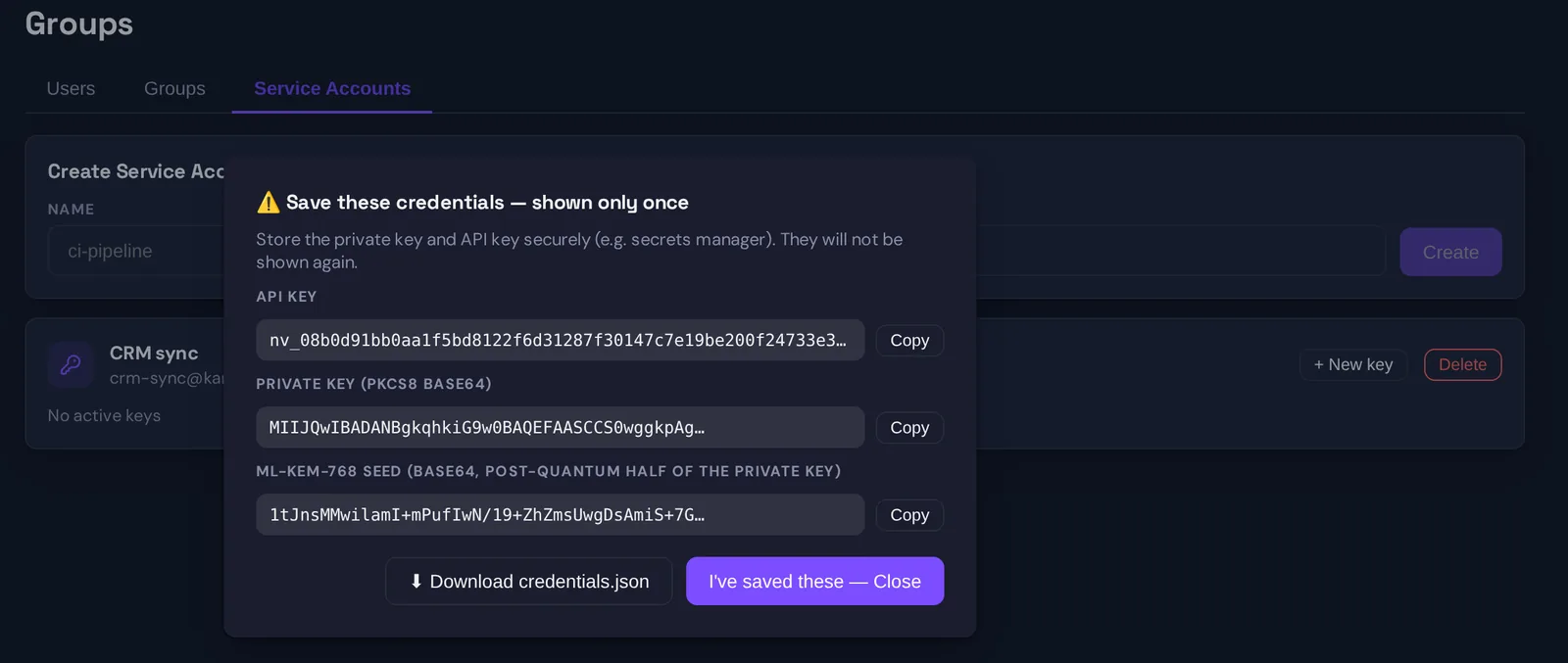
Those private keys are generated when the account is created and shown exactly once, together with the first API key: a PKCS#8 private key, the post-quantum seed, and the key string. The administrator copies them into the integration’s secret store, or downloads the credentials file, and closes the dialog. The server keeps the public halves and a hash of the API key. It does not keep the private keys, and it cannot show them again. An integration that loses its credentials gets a new account, not a recovery.
This is the part people sometimes find surprising: the server cannot give an integration access to a folder. An administrator cannot either, except by sharing the folder with the account from a browser that holds the folder’s keys, which seals a copy for the account. The handover is the same key handover we described for people, machine on the receiving end.
An API key that can do what you listed
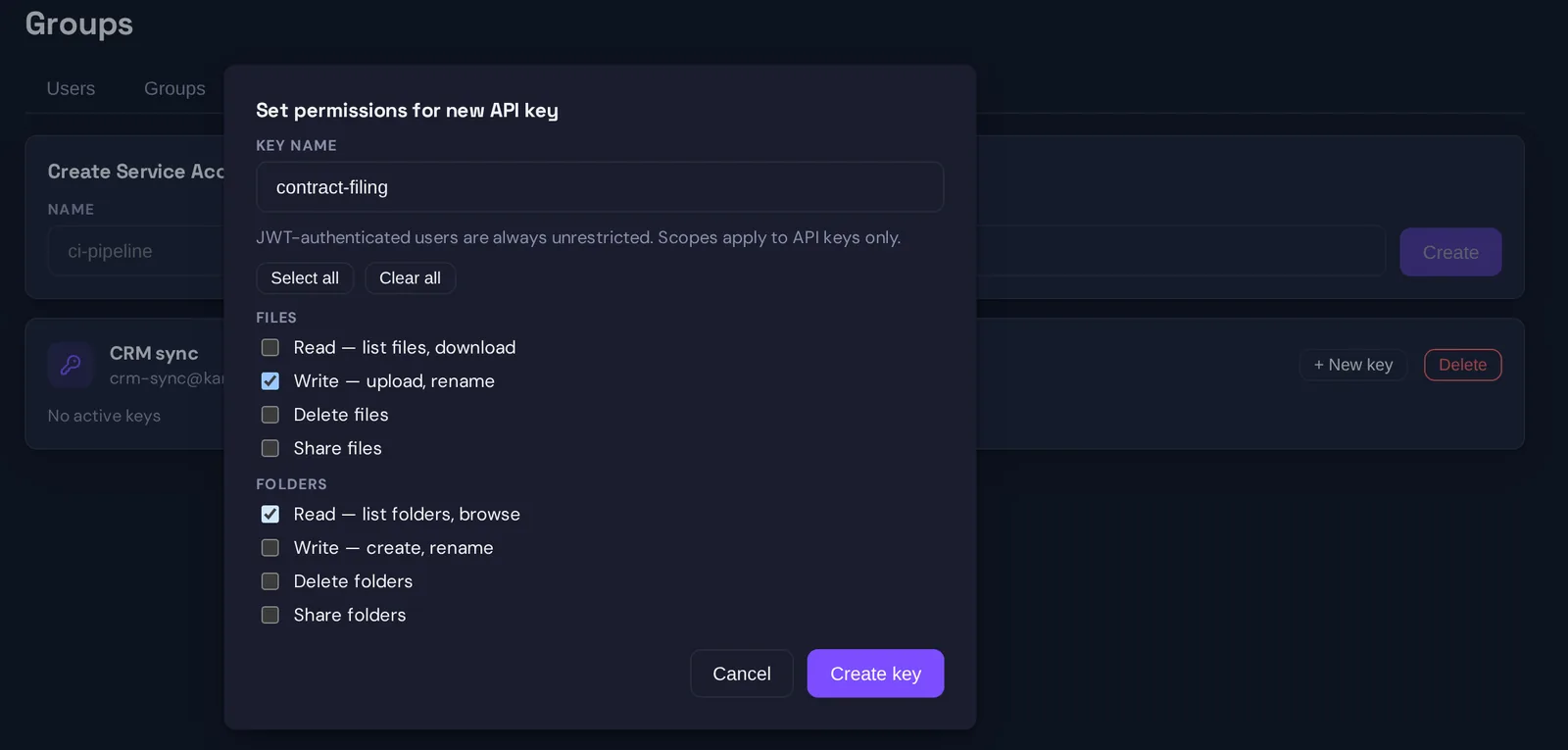
Authentication and authorisation are separated. The API key says who is calling; a list of scopes attached to the key says what the call may do. The scopes are deliberately small and deliberately plain:
- file.read, file.write, file.delete, file.share
- folder.read, folder.write, folder.delete, folder.share
- user.read, user.invite
A new key has no scopes at all. Every capability has to be granted explicitly, so an integration that only needs to drop files into one folder gets file.write and nothing else: it cannot list what is there, cannot download, cannot delete, cannot share. One that exports invoices gets file.read and folder.read and cannot write. The server checks the scope on every request and refuses with a plain message naming the missing permission.
Scopes bound what the key may do. The grants bound where it may do it: a key with file.read still only reads folders that were shared with its account. The two together are what “least privilege” means in practice: the narrowest verbs over the narrowest set of folders.
An account can hold several keys, each with its own scopes and name, so rotating a key for one integration does not disturb another, and revoking one is a single click that returns 401 on the next call. Every key creation, scope change and revocation is an audit event.
What the server sees
A service account’s traffic looks like a person’s traffic to the server, which is to say the server sees ciphertext and metadata. It knows which account called, which endpoint, which folder or file, when, and whether the scope allowed it. It can see that an integration uploaded a file into a folder and the file’s size. It cannot read the file, because the integration encrypted it before upload with a key the server never had, exactly as a browser would.
This matters for a question integrators ask: can the platform’s operator use the integration as a way in? No. The API key authenticates to the server; it does not decrypt anything. Someone who steals the API key but not the private keys can perform the key’s scoped actions as the account, which is bad enough to warrant rotating it, but they cannot read content from folders shared with the account. Someone who steals both has the account. Keep them in the same secret store with the same care, and keep that store out of the repository.
When to use a service account
Use one whenever the caller is not a person: pipelines, schedulers, connectors, the automation platforms that turn a new upload into a ticket or a signed document into a CRM entry. Give each integration its own account, so that its access and its audit trail are its own, and give each account’s keys the smallest scope that makes the integration work.
Do not use one to get around a person’s permissions, and do not share one across teams. The point of a service account is that it has exactly one job, one owner, and one list of folders, and that all three can be read off the screen by the administrator who has to answer for it.
Questions?
If you are building an integration and want the key handling spelled out, or want to know which scopes a specific connector needs, get in touch at hello@sapherbox.com.