
Deletion and recovery: what comes back, and what is gone for good
Deleting a file in an encrypted system has two sides: the person who wants it back and the organisation that needs it gone. How the recycle bin, versions, scheduled deletion and backups fit together.
Every storage product has to answer two opposite requests about the same file. On Monday someone deletes a folder by mistake and wants it back. On Friday the data protection officer wants a file gone, with proof that it is gone. A product that is good at one is usually careless about the other: either “deleted” means “hidden until the retention policy expires, somewhere, we are not sure where”, or it means an irreversible click with no safety net.
In an end-to-end encrypted system both requests have a cleaner answer than usual, because every file has a key, and what happens to the key decides what the ciphertext is worth. This article walks through what deletion does in Sapherbox, step by step, what you can get back, who can get it back, and the point after which nobody can.
The recycle bin
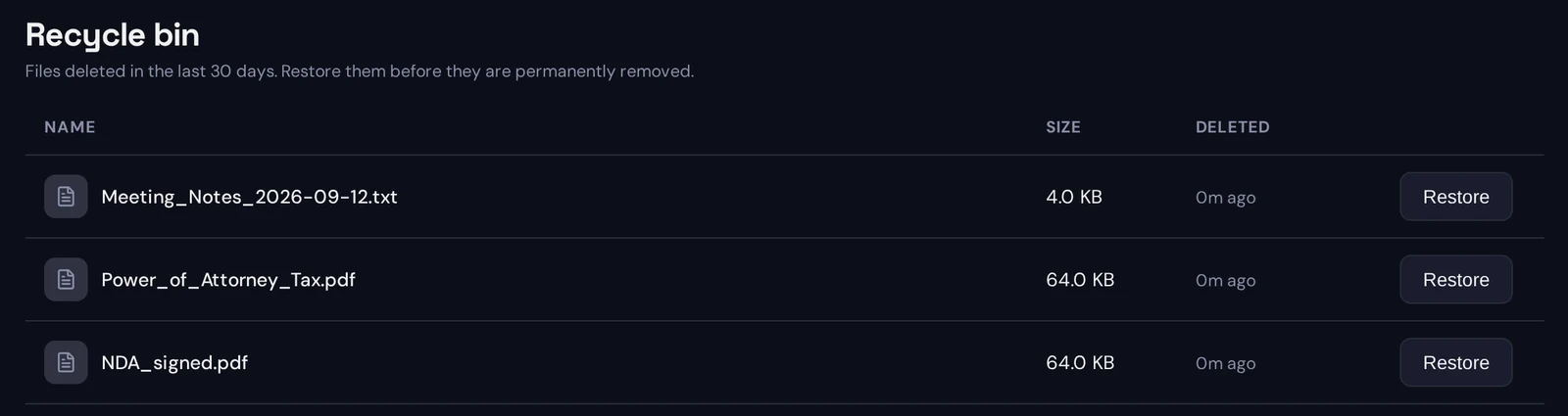
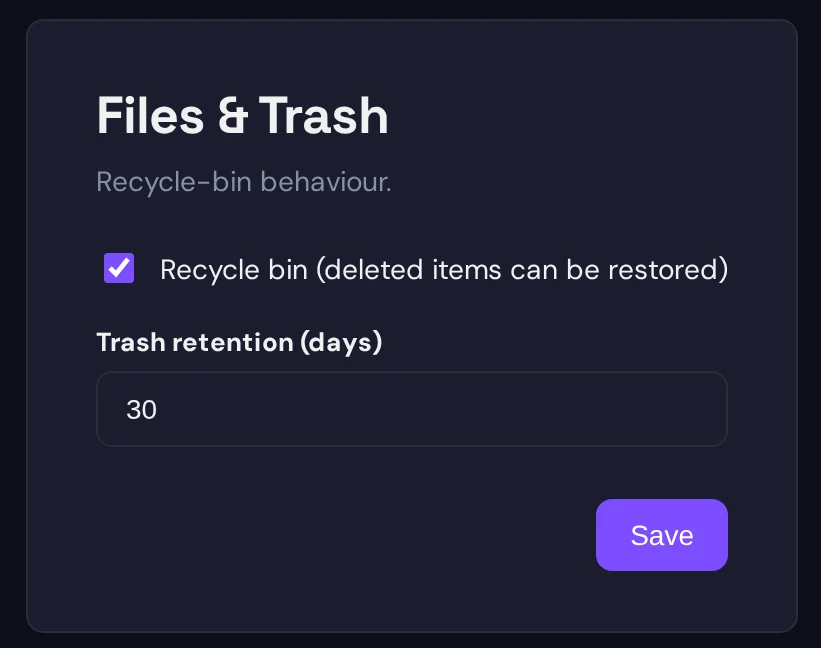
By default, deleting a file does not remove it. The file is marked deleted, disappears from every listing and from search, and moves to the recycle bin of its owner. There it stays for a retention window, 30 days unless your administrator sets another value, and after the window a daily job removes the database row and the ciphertext object from storage. That removal is the point of no return; everything before it is reversible.
Anyone whose role on the folder carries the delete right can delete a file: the owner, a co-owner, and whoever else your tenant’s permission levels allow. Only the owner can restore it. That asymmetry is deliberate. The recycle bin is personal, and the owner is the one person who is always accountable for the content, so the bin lists what you own and nothing else.
Deleting a folder sends its whole subtree to the bin at once: every file, every subfolder. Restoring works from the file side. When you restore a file whose folder was deleted with it, the folder chain above it comes back too, because the file’s key is sealed to its folder’s key pair, and a file restored into thin air would be unreadable. So a folder you deleted by mistake comes back the moment you restore the first file in it, structure and all.
Every deletion and every restore writes an audit entry under the name of the person who did it, so the evidence of “who deleted the contract in March” is in the log and not in anyone’s memory.
An administrator can switch the bin off. In that mode deletion is immediate: the row goes, the ciphertext object goes, and there is no restore. Some organisations want that for a tenant where nothing may linger. Most keep the bin on and tune the window.
Versions
A file that is uploaded again under an existing one becomes a new version rather than a replacement. Each version is a complete, separately encrypted object with its own key, sealed to the same people. The version history shows every version with its date and size, lets you download any of them, and lets you delete a version you no longer want, as long as it is not the last one. There is no “revert” button; if an older version is the one you need, download it and upload it as the newest.
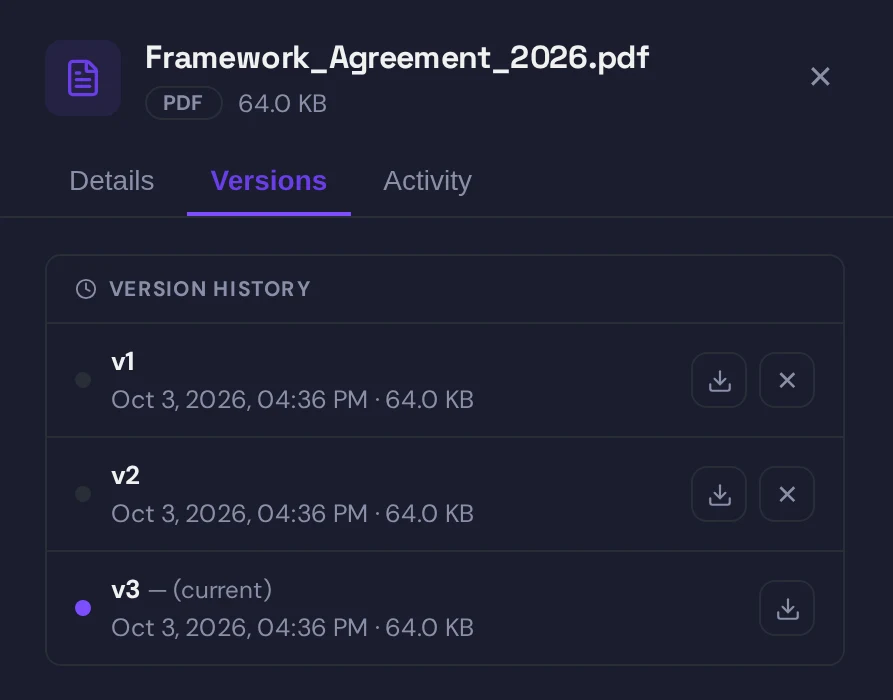
Versions and the bin are independent. Deleting a file deletes all its versions together, and restoring brings them all back. Deleting a single version is immediate and does not go through the bin, because it is an explicit act on a copy you can see.
One property of versions is worth knowing before you rely on them. When you remove a person from a folder, the current version of each file is re-encrypted under a new key, so the person’s old key stops working for it. Older versions keep their original keys. Someone who was removed and who had already downloaded version three can still open version three. We have written about why revocation stops at the current version.
Scheduled deletion
Some data has a known end of life: a retention period, a project close, a contractual deadline. Instead of a reminder in someone’s calendar, you give the file a deletion date in its properties. It moves to the recycle bin when the date arrives and is permanently removed when the bin window runs out after that. Anyone who may delete the file may schedule it, the schedule is written to the audit log, and the data inventory report lists the date next to the file’s classification, which is what an Article 30 record of processing wants to see.
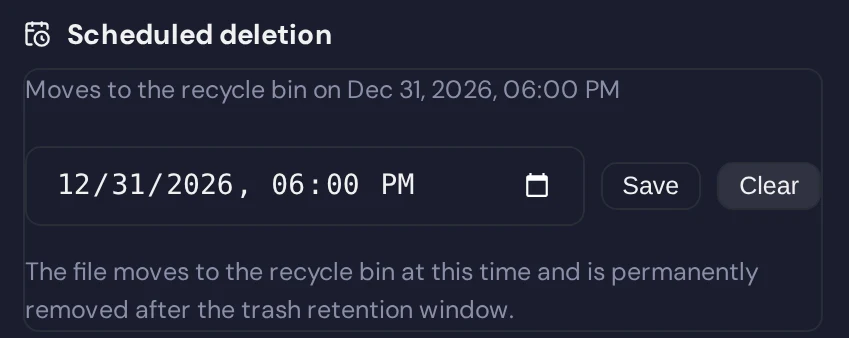
Workflows can set the date for you. A rule can say that every file classified as containing personal data in a particular folder is scheduled for deletion after a number of days, or that uploads into an inbox folder expire after the quarter. We have described classification and what it can see; scheduled deletion is one of the things it can trigger.
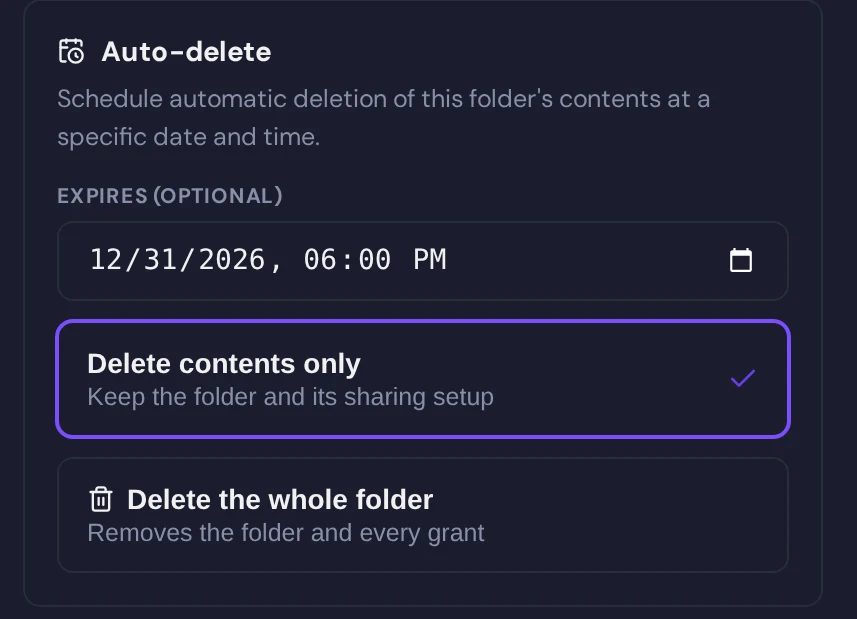
Folders can expire as well. A folder with an expiry date either clears its contents on that date and stays, or disappears with everything in it, depending on what you chose when you set it. Both are recorded in the audit log under a system actor, so a reviewer can see that a deletion happened on schedule and not by hand.
What “permanently deleted” means
This is the part worth reading twice, because the words are used loosely across the industry.
In Sapherbox every file is encrypted under its own key. That key is sealed to the owner’s identity key and to the folder’s key pair, and those sealed keys are rows in the database next to the file. When the purge job removes a file at the end of the bin window, it removes the file row, the sealed keys with it, and the ciphertext object in storage. After that there is no row, no key and no object.
The one place a trace survives for a while is the database backup. Every tenant database is dumped once a day, encrypted to a key that lives offline and on no server, and the last seven dumps are kept. A dump from before the purge still contains the file’s row and its sealed keys. It does not contain the ciphertext, which was never in the database and is now gone from storage. So a restored backup would know that a file existed, with its masked name and size, and would hold a key to an object that no longer exists. Within seven days the dump is gone too.
The storage side keeps no second copy. The object store holds one encrypted object per version, durability comes from the provider’s replication rather than from any history of versions, and when the purge removes an object there is nothing to roll back to. We say this plainly because it is the honest consequence of the design: the bin window is the undo, and it is the only undo.
For the data protection officer that gives a clear timeline. A file deleted on the first of the month and left in the bin is readable by its owner, and only by its owner, until the window ends. After the purge it is unreadable by anyone, and after a further seven days no trace of its keys exists anywhere. Both dates follow from settings you control, and both are visible in the audit log.
Accounts
Files are not the only thing that gets deleted or recovered. Accounts do too, and the rules differ.
A deactivated account is not deleted. Login is refused, sync stops, sessions end, but the files, the keys and the shares stay exactly as they were. Reactivating an account restores login and nothing else needs to be rebuilt, because nothing was removed. Deactivation is the right first step for someone who leaves, and the only step while there is any chance they will be back or that their folders still need an owner.
A deleted account is gone. Its files go with it, its sealed keys go with it, and no administrator can bring them back, because no administrator ever held the keys. Before deleting the account of someone who owned shared folders, give those folders a new owner or add a co-owner; otherwise their contents are deleted along with the account. We have written about why ownership is something to hand over before leaving rather than to recover afterwards.
A forgotten password is a recovery problem of a different kind, and we have covered it separately: the recovery code you saved, or the escrow key your organisation holds, both of which work without the provider.
The sync client
Deletions travel in both directions. Delete a file in the folder on your laptop and it moves to the recycle bin on the server, so the safety net is the same whether you used the browser or the Explorer. Restore it from the bin and it reappears on every synced device. If the bin is switched off for your tenant, the client receives a deletion marker instead, and it keeps those markers long enough that a device that was offline for weeks still learns what went away. The client never empties a local folder on its own just because it could not read a listing; it deletes locally only what the server has confirmed as gone. We have described the client and its conflict handling in detail.
Limits, stated
Three things no deletion feature can do, and we would rather say so than imply otherwise.
It cannot recall copies. A file that was downloaded, printed, forwarded or synced to a laptop before it was deleted exists wherever it was put. Deletion is about the vault.
It cannot make an older version forget its key. Revocation and deletion both act on what is current; earlier versions that someone already holds stay readable to that someone.
It cannot restore after the purge. The bin window is the only undo. Pick it with that in mind: long enough that a mistake surfaces, short enough that the data protection answer stays comfortable. Thirty days is the default because it tends to satisfy both.
Questions?
If you are setting a retention window, mapping a deletion policy onto scheduled deletion and folder expiry, or want the purge and backup timelines in writing for an audit, get in touch at hello@sapherbox.com.