
Whoever shares is responsible
In Sapherbox the person who shares a folder answers for who can open it, inside or outside the organisation. That only works if they can see their own sharing. Here is what they see.
Ask most organisations who is responsible for a folder that was shared with an outside law firm three years ago, and the answer is a shrug in the direction of IT. IT did not share it. IT does not know what is in it, why the firm needed it, or whether the engagement ended. The person who does know is the one who clicked “share”, and in most systems that person has no way of finding out, years later, what they once shared with whom.
Sapherbox takes a position on this. The person who shares content is responsible for that share, for as long as it exists. Not the administrator, not the security team, not the provider. And because a responsibility you cannot see is not one you can carry, every user gets the views they need to see their own sharing: a Collaborators page and a set of personal reports. This article is about that model, why we chose it, and what the views show.
Why the sharer, and not the administrator
The usual alternative is central ownership: an administrator or a data owner is accountable for every share in the organisation, and reviews them periodically. It sounds rigorous and it does not work, for two reasons.
The first is knowledge. Whether a share is still appropriate depends on facts only the sharer has: the project ended, the auditor finished, the colleague moved to a different client. An administrator reviewing a list of four thousand grants cannot tell a stale share from a live one; the rows look the same. The sharer can tell at a glance.
The second is scale. Sharing happens hundreds of times a week, by everyone. A review that depends on one central person seeing all of it is either so infrequent that stale access persists for years, or so shallow that it approves everything. Spread across the people who did the sharing, the same review is a few minutes each, by someone who knows the answer.
There is also a reason specific to end-to-end encryption. In Sapherbox an administrator cannot open a shared folder they were not given access to; the keys are not theirs to hold. They can see that a share exists, between whom, with which role, and they can act on accounts. What they cannot do is judge whether a folder’s content still belongs with its recipients, because they cannot see the content. The person who can is the one who shared it.
So the rule is: if you shared it, you own the question of whether it should still be shared. The platform’s job is to make that question answerable.
The Collaborators page
Every user has a Collaborators page: the people they have invited to their folders and files, internal and external, with a status for each. An invitation that has not been accepted yet shows as pending, with the invite link ready to copy, resend or withdraw. A recipient who registered but has not received the keys yet shows as ready to share. An active collaboration shows as shared.
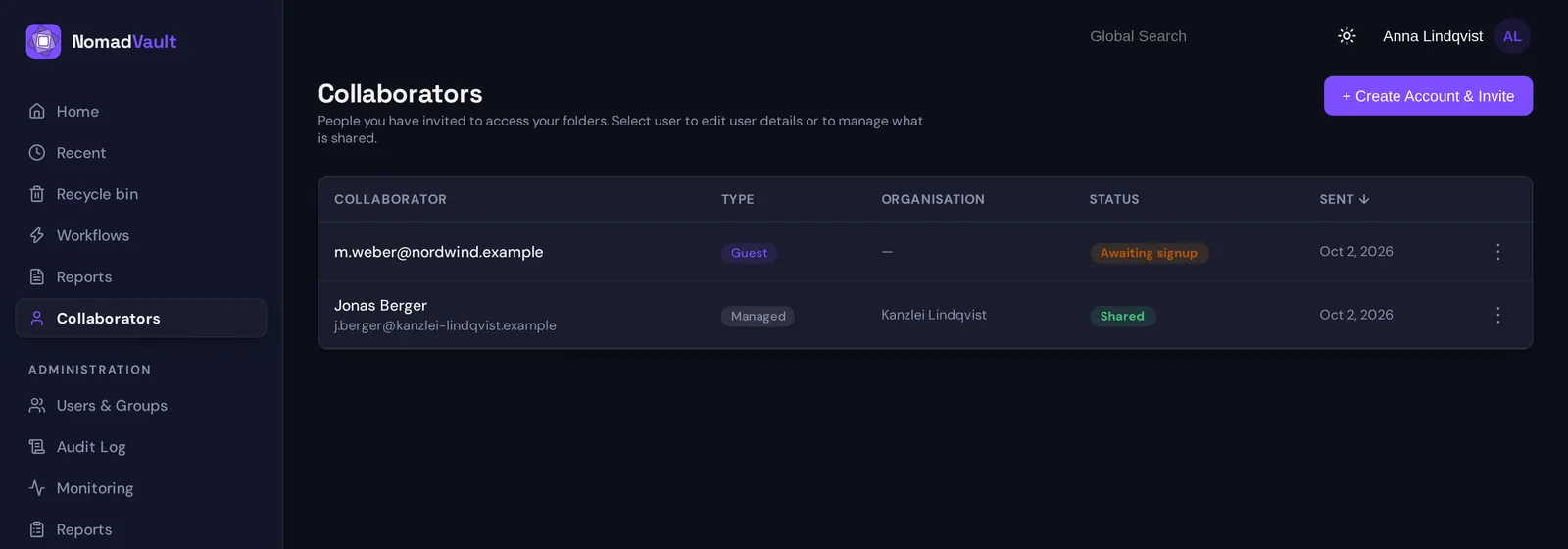
Selecting a person opens their panel. It lists everything you have shared with them, folder by folder and file by file, with the role each grant carries. It is the answer to “what does this person have from me”, and it is complete, because the platform built the list from the grants rather than from memory.
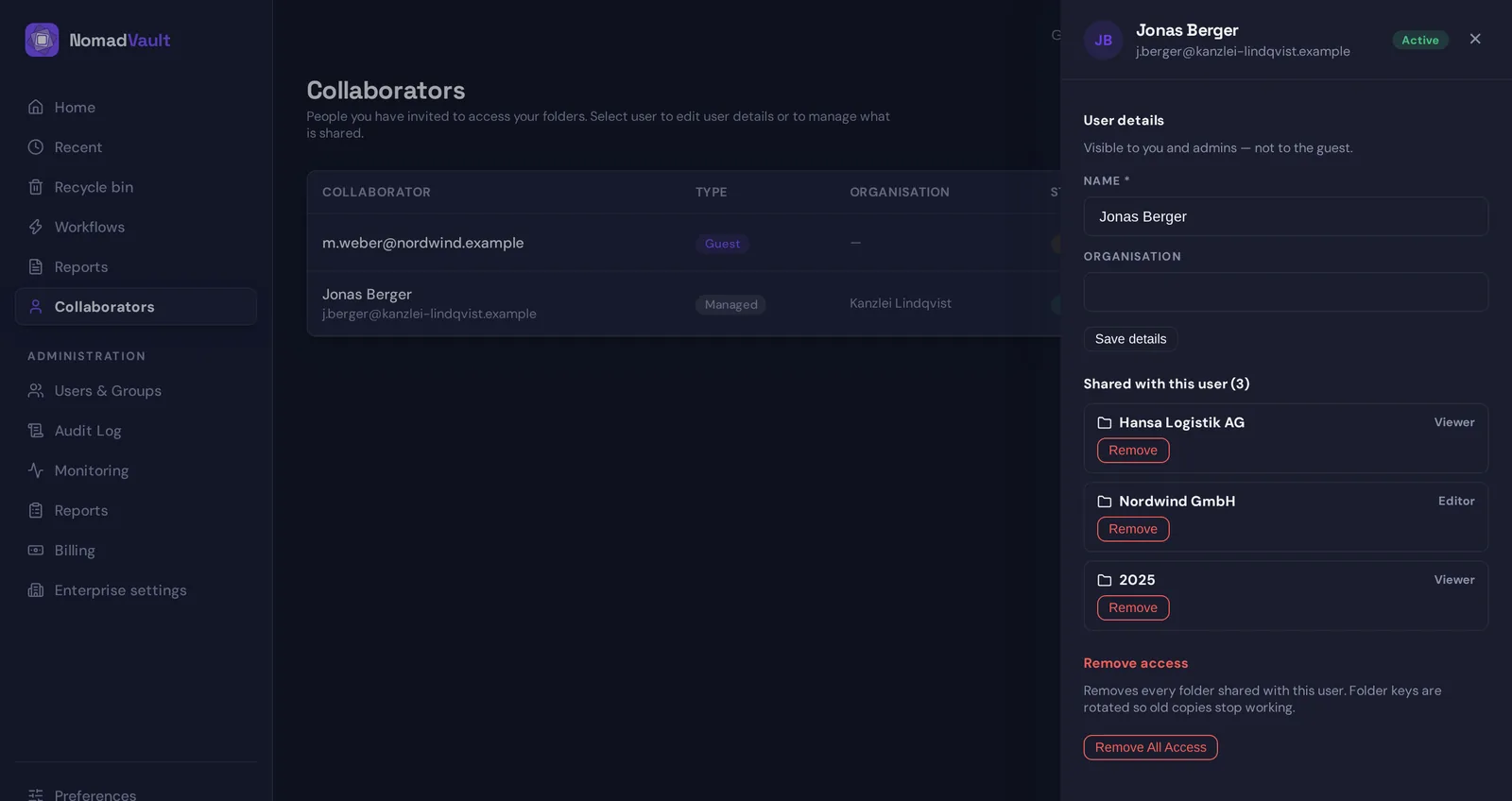
Two actions live there. One removes a single share. The other, “Remove all access”, removes every folder and file you have shared with that person in one step, and because this is an encrypted platform it does what the name says: the keys of every affected folder are rotated, so any keys the person may have cached stop opening anything. Copies of plaintext they already downloaded are beyond any system’s reach, and we say so. We have written about why removal has to re-key. The point here is who gets to press the button: the sharer, for their own shares, without a ticket.
For external collaborators the panel also carries a small directory profile, name and organisation, visible to you and to administrators but not to the guest. Six months on, “m.weber, Nordwind GmbH, counterparty on the 2026 framework contract” is the difference between recognising a name and not.
The personal reports
The Collaborators page is organised by person. The reports are organised by content and by reach, and they exist so that the periodic review can be done from either direction.
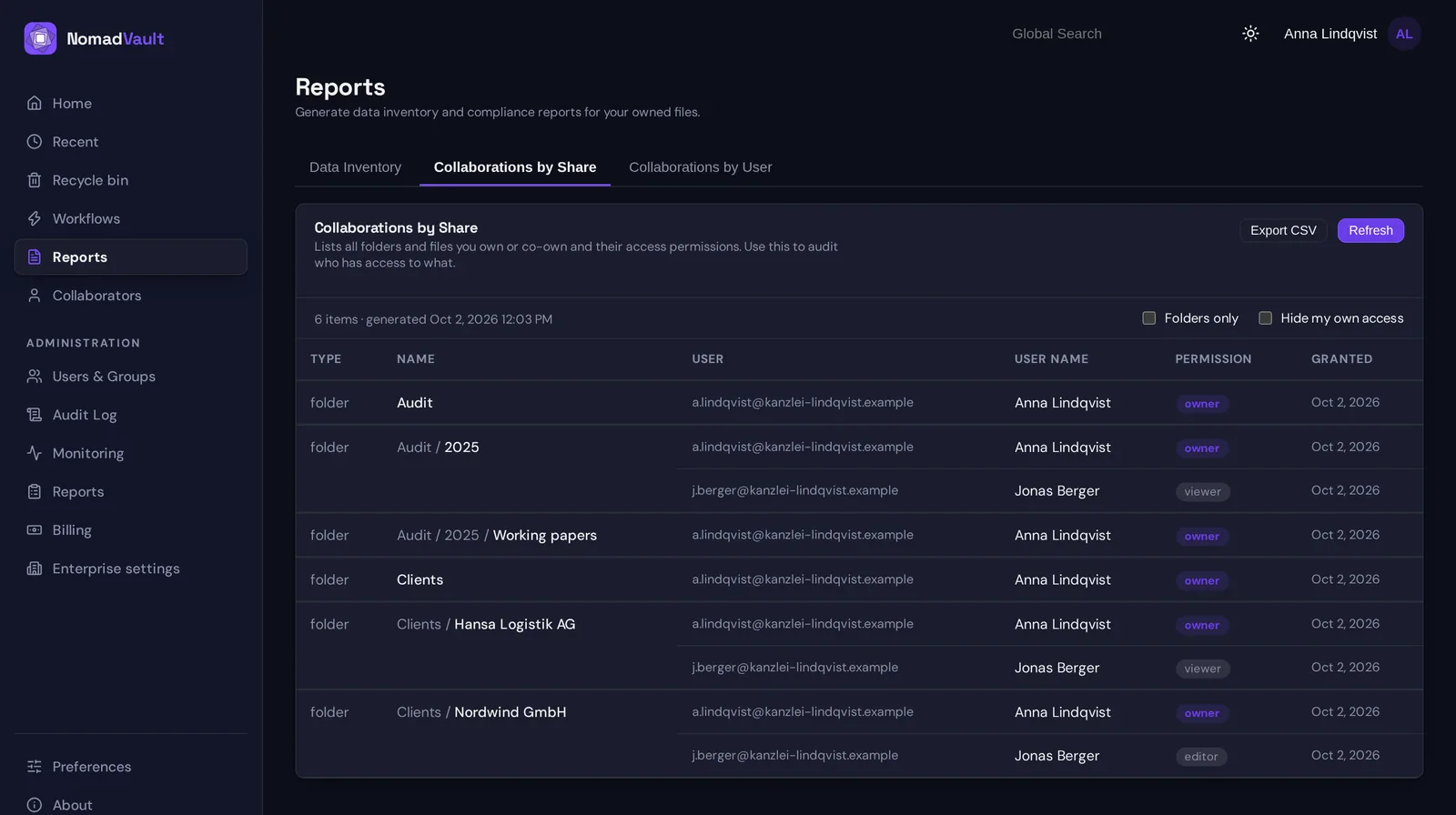
Collaborations by share lists every folder and file you own or co-own, with everyone who has access to it and at which role. Read it top to bottom and you have an inventory of your sharing, item by item. It is the view to use when the question is about a folder: who can open the Nordwind contracts, and should they all still be able to.
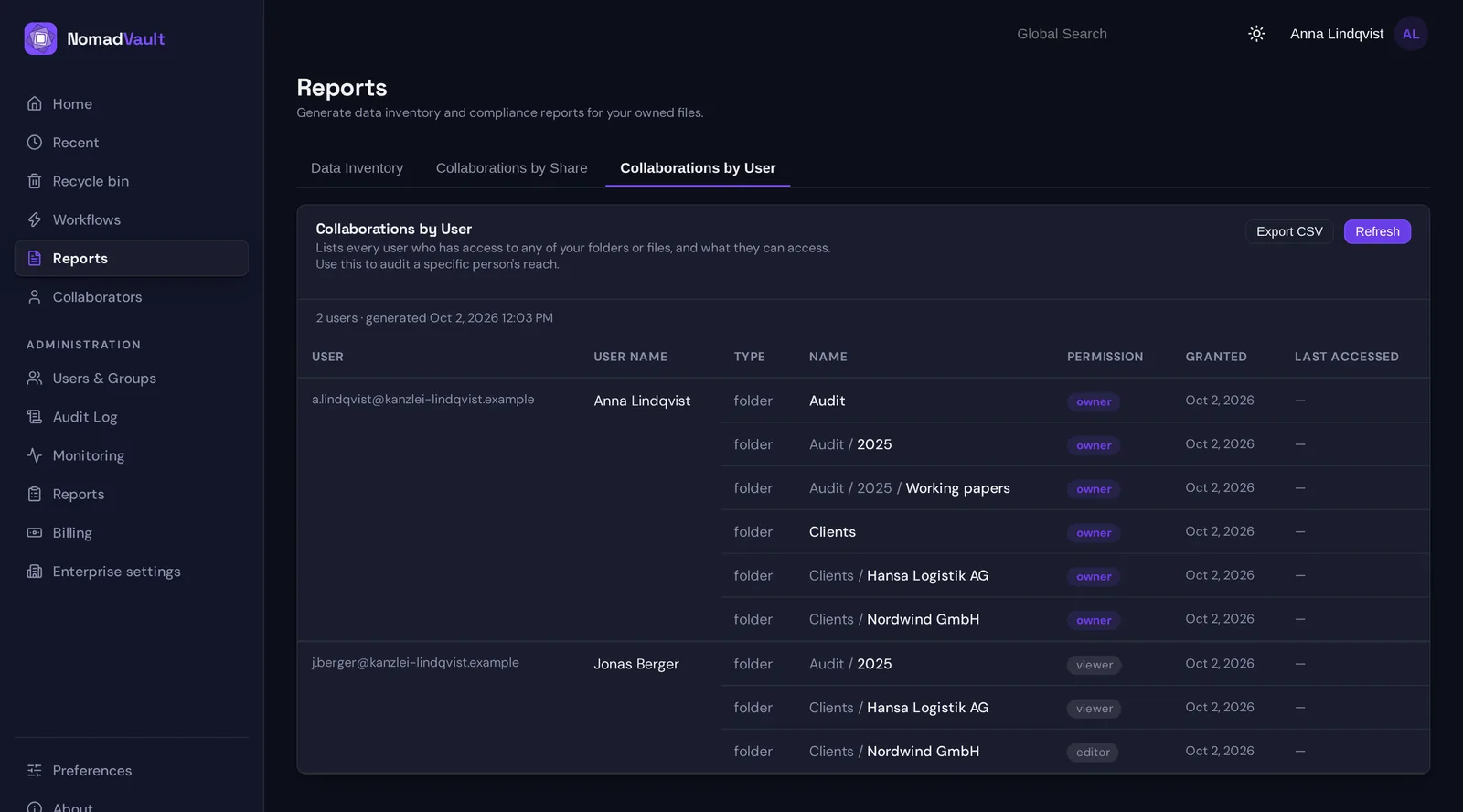
Collaborations by user inverts that. It lists every person who has access to anything of yours, and what exactly. It is the view to use when the question is about a person: what is the auditor’s reach into my content, and what happens if the engagement ends. Where you shared a folder with a group rather than a person, the group appears as the grantee; the people behind it are the group’s membership, which its lead maintains.
Data inventory lists every file you own, with its classification and any scheduled retention or deletion date. It is not a sharing report, but it belongs with them: before deciding whether a share is still appropriate it helps to know that the folder contains files classified as personal data, and before answering an Article 30 question it helps to have the list.
All three export to CSV, which is what most people actually want: a file to attach to a quarterly review, or to hand to a data protection officer who asked.
How the administrator’s view fits
None of this removes the administrator. It changes what they are for. The organisation-wide reports show every active share across the tenant, optionally expanded from groups to the people they actually reach, every user with their access, and a list of dormant external accounts: guests with no remaining shares and no group membership, which are deletion candidates. The audit log records every grant, every removal, every key rotation, and who performed it.
That is the oversight layer. It lets an administrator see that sharing is happening and that reviews are being done, follow up with a sharer whose external shares have gone untouched for a year, and close accounts that nothing is shared with any more. What it does not do is make the administrator the person who decides whether a specific folder should still be open to a specific firm. That decision stays with the one who knows.
What this asks of people
A responsibility model is only as good as the habit it produces, so here is the habit, stated plainly.
- When you share, you own the share. Give it the role it needs and nothing more.
- When a reason ends, remove the share the same day. The Collaborators page is where; it takes one action.
- Once a quarter, open Collaborations by user and read the list of people. Every name should have a reason you can state. For the ones that do not, remove all access.
- Before you leave a role, hand your shares over: a co-owner you add keeps the folder alive after you go, and your Collaborations by share report is the list of what to hand over.
The platform’s part is to make each of these a few minutes rather than an investigation, and to make the removal real when it happens. The rest is the ordinary care that comes with being the person who knows.
Questions?
If you want to map this model onto your own review process, or your data protection officer wants to see what the reports contain before you roll it out, get in touch at hello@sapherbox.com.