
Large files, encrypted in the browser: how a 20 GB upload works without trusting the server
Chunked encryption with constant memory, S3 multipart behind the backend, per-chunk integrity, and a download path that streams straight to disk. The engineering behind big files in Sapherbox.
End-to-end encryption is easy to demonstrate with a 200 KB PDF: read it into memory, encrypt it, send it. It stops being easy at the point where the file no longer fits comfortably in a browser tab. A 20 GB forensic image, a 4 GB video deposition, a database export: the browser cannot hold the plaintext, cannot hold the ciphertext, and must not hand either to the server to let it do the work, because the server has no key and must never get one.
This article is about how Sapherbox moves large files. It is more detailed than most of what we publish, because the questions we get about big files are detailed ones, and because the design decisions, once written down, are not complicated. Everything below is what the browser, the sync client and the backend do today.
One format for every file
Every file Sapherbox stores, whether 4 KB or 40 GB, is written in the same shape: a sequence of encrypted chunks. The plaintext is cut into 10 MB pieces, each piece is encrypted on its own with AES-256-GCM under the file’s key, and each encrypted piece is written as a 12-byte nonce followed by the ciphertext and its 16-byte authentication tag. A small file is simply a single chunk.
The nonce for each chunk is derived from one random base nonce for the file by folding the chunk’s index into its last four bytes, so every chunk has a distinct nonce without the client having to store a list of them. The chunk index is also bound into the encryption as additional authenticated data. That second detail matters: it means a chunk cannot be moved to a different position, duplicated or dropped without the authentication failing on the way back. A storage system, or anyone with write access to it, can corrupt a file; it cannot quietly rearrange one.
The last chunk is padded with random bytes to a power-of-two size, minimum 4 KB, so the stored size of a small document reveals only a bucket rather than an exact byte count. The true length is recorded, encrypted, in the file’s metadata and used to strip the padding on download. For large files the padding is on the tail only; the body chunks are full 10 MB strides.
The file’s metadata carries three fields that describe this layout: the base nonce, the chunk size and a flag saying the index is authenticated. Every reader in the ecosystem, the web app, the desktop sync client, the macOS client and the service worker that handles downloads, reads those fields and decrypts accordingly. Files stored before the format was unified, as a single encrypted block, stay readable forever through a legacy branch; only what new uploads look like changed.
Uploading: encrypt a chunk, send a chunk, forget it
The browser never holds more than roughly one plaintext chunk and one ciphertext chunk in memory at a time. It takes a 10 MB slice of the source file, which the browser exposes as a view rather than a copy, pads it if it is the last one, encrypts it, sends it, and lets the garbage collector have it. A 20 GB upload uses about the same memory as a 20 MB one. Peak usage does not grow with file size, which is the property that makes browser-side encryption of large files viable at all.
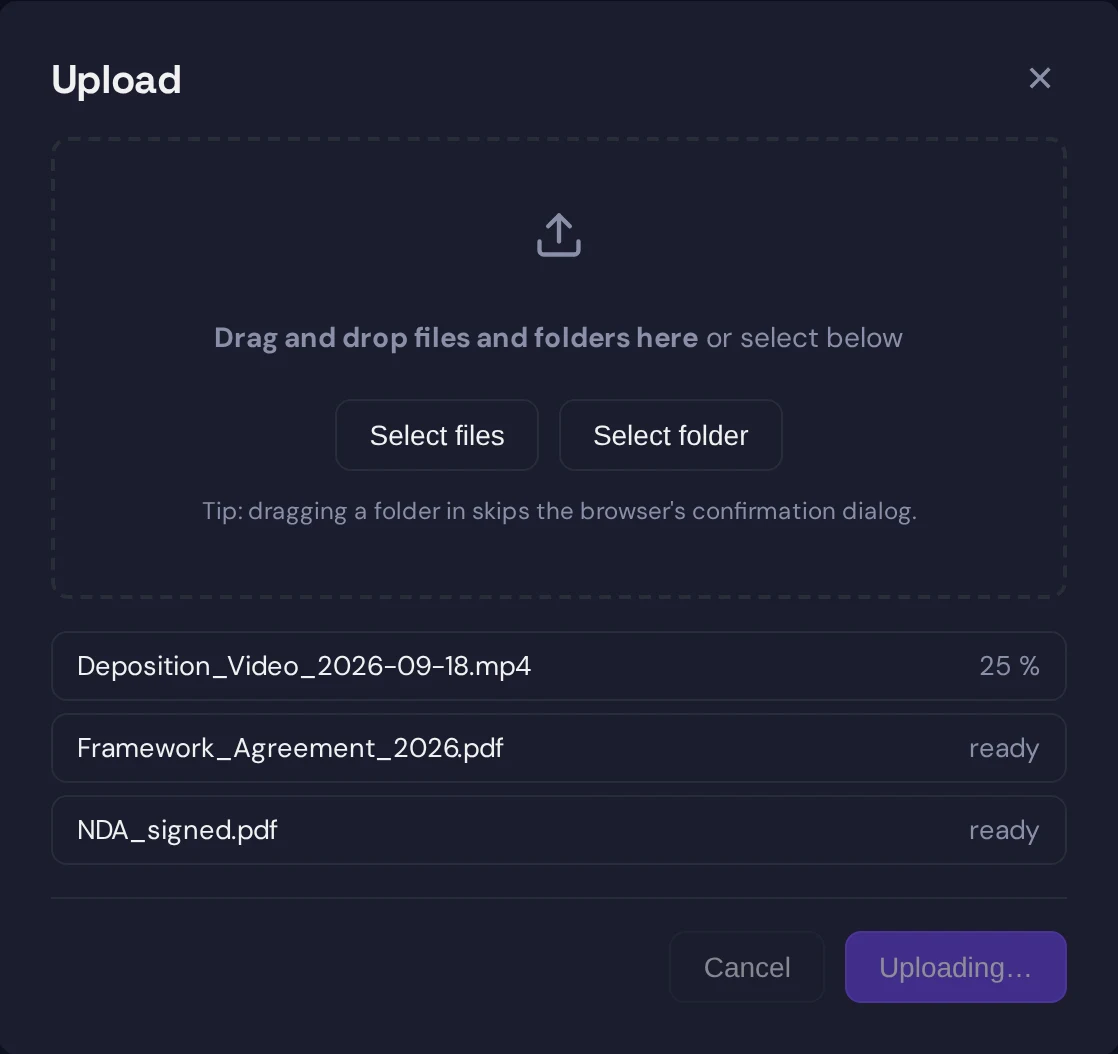
Below a 5 MB threshold the chunks are concatenated and sent as one request, because a round trip per chunk is not worth it for small files. Above it, the client opens an upload session with the backend, sends each encrypted chunk as its own request, and closes the session when the last one is acknowledged. The backend passes each chunk straight through to object storage as one part of an S3 multipart upload, without writing it to disk or buffering the whole file. When the client completes the session, the backend asks the object store to assemble the parts in order, records the file, checks the owner’s quota against the final size, and writes the audit entry.
Three details keep this honest under bad network conditions. A chunk that fails to send is retried up to three times with a short back-off before the upload is declared failed. The session, and with it the partial object in storage, is abandoned if it is not completed within 24 hours, so a browser that was closed mid-upload leaves nothing behind. And the chunk size caps what any single request can carry, which is what lets the reverse proxy enforce a request limit of around 110 MB without ever being in the way of a multi-gigabyte file.
A checksum of the plaintext, SHA-256, is computed in a separate streaming pass and stored encrypted under the file key. It is there to prove integrity to you after a download and to let the sync client recognise unchanged content after a key rotation. It is encrypted rather than stored in the clear because a plaintext hash would be a fingerprint: with it, the server could confirm whether a specific known document is in your vault, which is exactly the kind of knowledge the design denies it.
What the server sees
An upload session, a sequence of opaque 10 MB parts, a completion call. The size, the owner, the folder, the masked file name and the sealed metadata. Not the key, not the content, not the real name. The backend’s role in a large upload is to be the party that talks to object storage with the storage credentials, so that those credentials never reach the browser and so that there is no cross-origin upload to a bucket to configure. We chose that over presigned URLs deliberately; it costs the backend bandwidth and saves a class of configuration mistakes.
Downloading: three ways to the disk
Downloading a large file is harder than uploading one, because the browser’s normal download mechanism expects a URL it can fetch directly, and what sits at the URL is ciphertext. Sapherbox uses a ladder of three methods, trying each in turn.
The first is a service worker. When you click download on a large file, the page hands the file’s key and a one-time token to a service worker running in the background, and then navigates to a download address that only the worker answers. The worker fetches the ciphertext from the backend, decrypts it chunk by chunk as the bytes arrive, and streams the plaintext into the browser’s own download. Memory stays at about two chunks, the file lands in your Downloads folder with the browser’s normal progress indicator, and you can navigate away or close the tab; the browser owns the transfer from that point. The key never leaves the browser process.
The second, for browsers without a usable service worker, is the File System Access API: you are asked where to save the file first, and the decrypted stream is written to that location as it is produced, again at constant memory.
The third, for browsers with neither, decrypts in the page with the same streaming transform and shows a progress banner with a cancel button, then triggers the download when the stream is complete. This path has to hold the result until the end, so it is the one we use last.

On the server side the download endpoint streams the object through without buffering, with timeouts long enough for a very large file over a slow connection. Below 100 MB none of this ladder is used; the file is decrypted in memory and saved, because for files of that size the save dialog and the banner are worse than a one-second wait.
Where the design meets its limits
Content disarm, the sanitisation of office documents and PDFs on upload and download, needs the whole plaintext at once, so it applies up to a per-tenant size limit and is skipped above it. A large file is encrypted and stored exactly like a small one, but it is not rebuilt page by page first. The limit is visible in the settings, and the trust state on the file says whether it was sanitised.
Classification reads the first half megabyte of text-based files, so it sees the beginning of a large CSV or log and nothing after that. We have described what it does and does not catch.
And an upload is not resumable across a browser restart. If the tab is closed at 60 percent, the session is abandoned and the upload starts over. The sync client, which has a disk to keep state on, is the better tool for very large or very many files, and it uses the same chunked format, the same session protocol and the same 10 MB stride, so a file uploaded by the client and one uploaded by the browser are indistinguishable in storage.
Why this shape
We could have made large files easier for ourselves. Letting the server encrypt would remove every memory constraint from the browser. Uploading directly to the bucket with a presigned URL would remove the backend from the data path. Storing the checksum in the clear would make deduplication trivial. Each of those is a common choice, and each gives the server something the design says it must not have: the key, the storage credentials in the browser, or a fingerprint of your content.
The chunked format is what remains when those options are taken away. It keeps memory flat, it keeps every byte authenticated including its position, it works through a reverse proxy with ordinary request limits, and it lets a service worker turn a decrypting stream into a normal browser download.
Questions?
If you move large files regularly, want the chunk format specified for an integration, or want to know how the sync client behaves with a multi-terabyte folder, get in touch at hello@sapherbox.com.